Turn AI-generated map styles into production-ready maps in minutes with Mapbox Studio
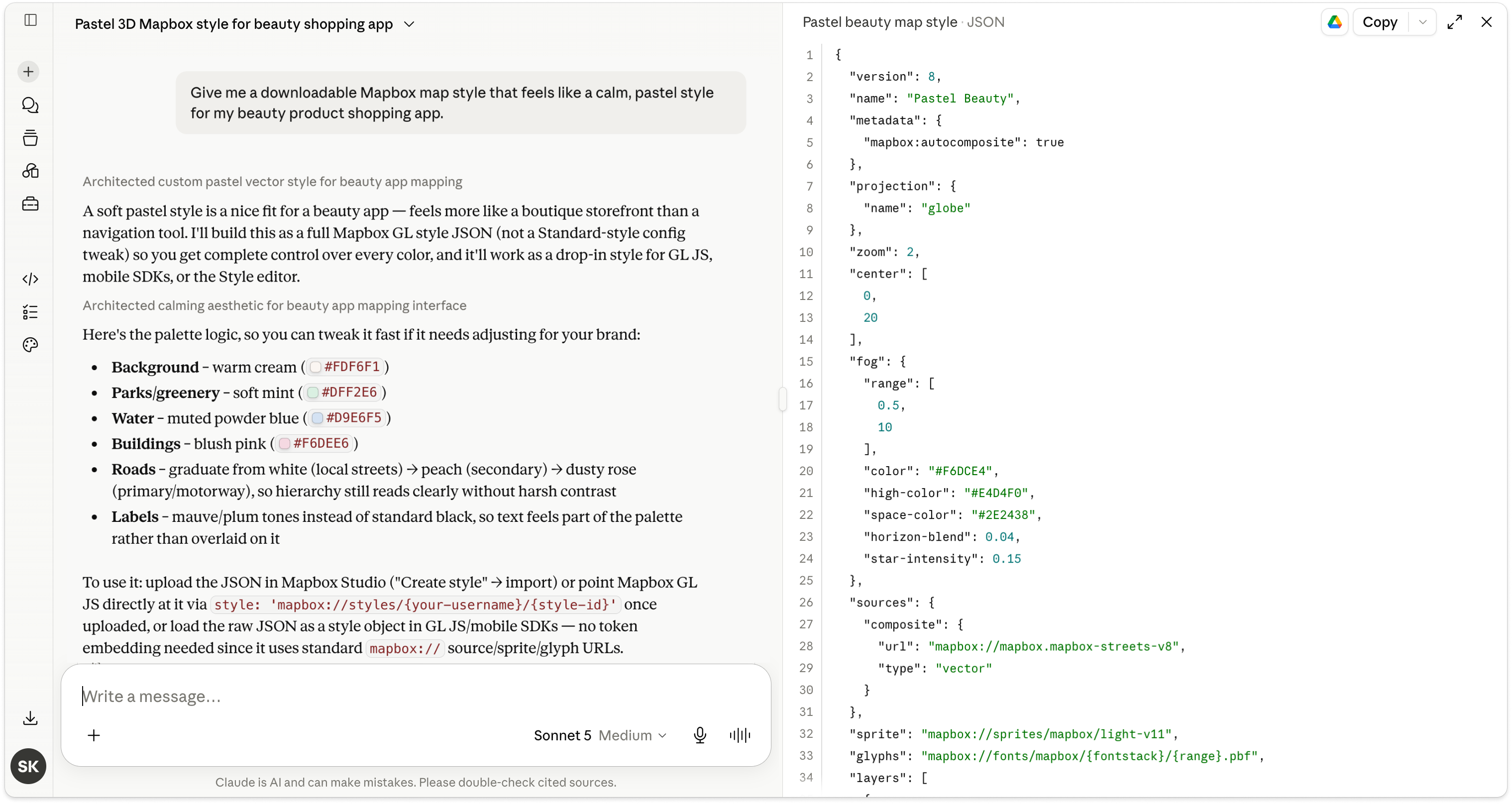
AI is changing how developers build maps with Mapbox. Instead of manually configuring every color, label, and layer, they can now use an LLM to describe the map they want in plain English and generate a complete Mapbox Style JSON in seconds.
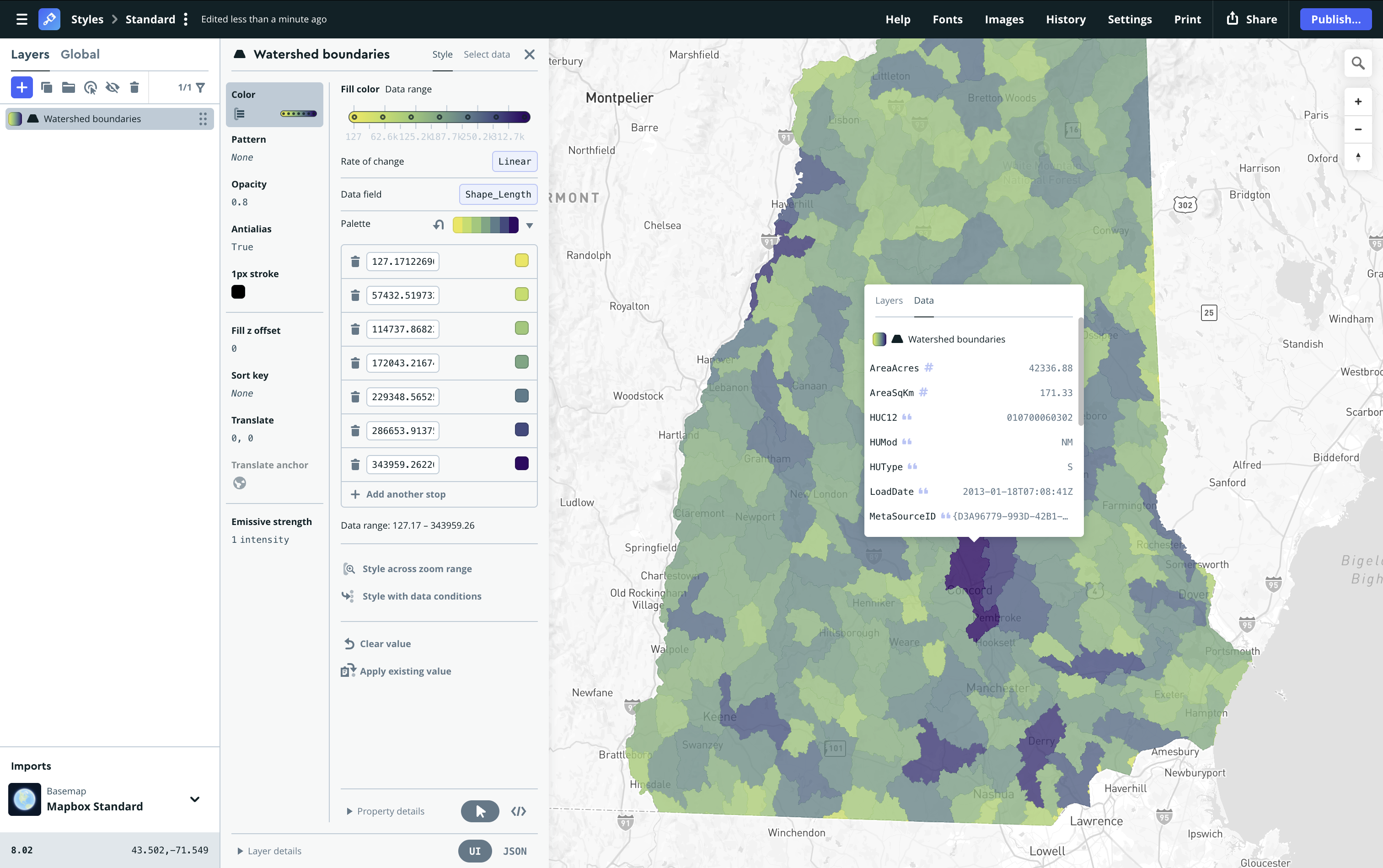
Then, they can take this AI-generated style, upload it to Mapbox Studio, refine it, and publish it, using the same workflow developers have relied on for years.
From prompt to production
One common developer workflow is to ask an AI coding assistant to generate a Mapbox Style JSON. For example:
“Give me a downloadable Mapbox map style with a calm, pastel style for my beauty product shopping app.”

Within seconds, it generates a valid Mapbox Style JSON that’s ready to use. Developers just download the generated JSON, and drag and drop the file directly into Mapbox Studio. Studio imports the style, allowing developers to immediately begin editing it using the visual interface instead of manually modifying JSON.
With a further prompt, the developer can generate a style using the Mapbox Standard 3D style.

AI accelerates creativity. Studio offers controls.
AI is excellent at creating a strong starting point, but production maps often require careful refinement.
Customization and refinement are where Mapbox Studio shines as the most powerful and flexible map design tool available. Developers can use Studio to fine-tune colors, typography, label hierarchy, layer visibility, lighting, icons, and other visual properties using Studio's comprehensive styling tools. Once the style is ready, it can be published and used across web, iOS, and Android applications.
AI-generated styles can serve as the foundation for almost any experience, including branded customer experiences, seasonal event maps, gaming worlds, dark mode or accessibility-focused themes, and more. Sign up for a free account to get started with Studio or login to the developer console to continue building.


Related articles

Mapbox GL JS reduces bundle size by up to 27% with modular rendering
New road detail in Mapbox Standard