Mapbox 3D Live Navigation
The first of its kind and the easiest navigation to follow so drivers and assisted driving features never miss a turn.
Build the next generation of in-car navigation
Mapbox 3D Live Navigation brings lane-level navigation, detailed 3D road context, and live vehicle data together so developers can build a unified navigation experience that is easier to understand, guides assisted features, and is deeply integrated into the vehicle.
Experience Mapbox 3D Live Navigation beginning November 2027 in the all-new 2027 BMW iX3, iX5, and 7-series vehicles*
*on vehicles equipped with BMW Driving Assistant Professional and an active subscription

Never miss a turn
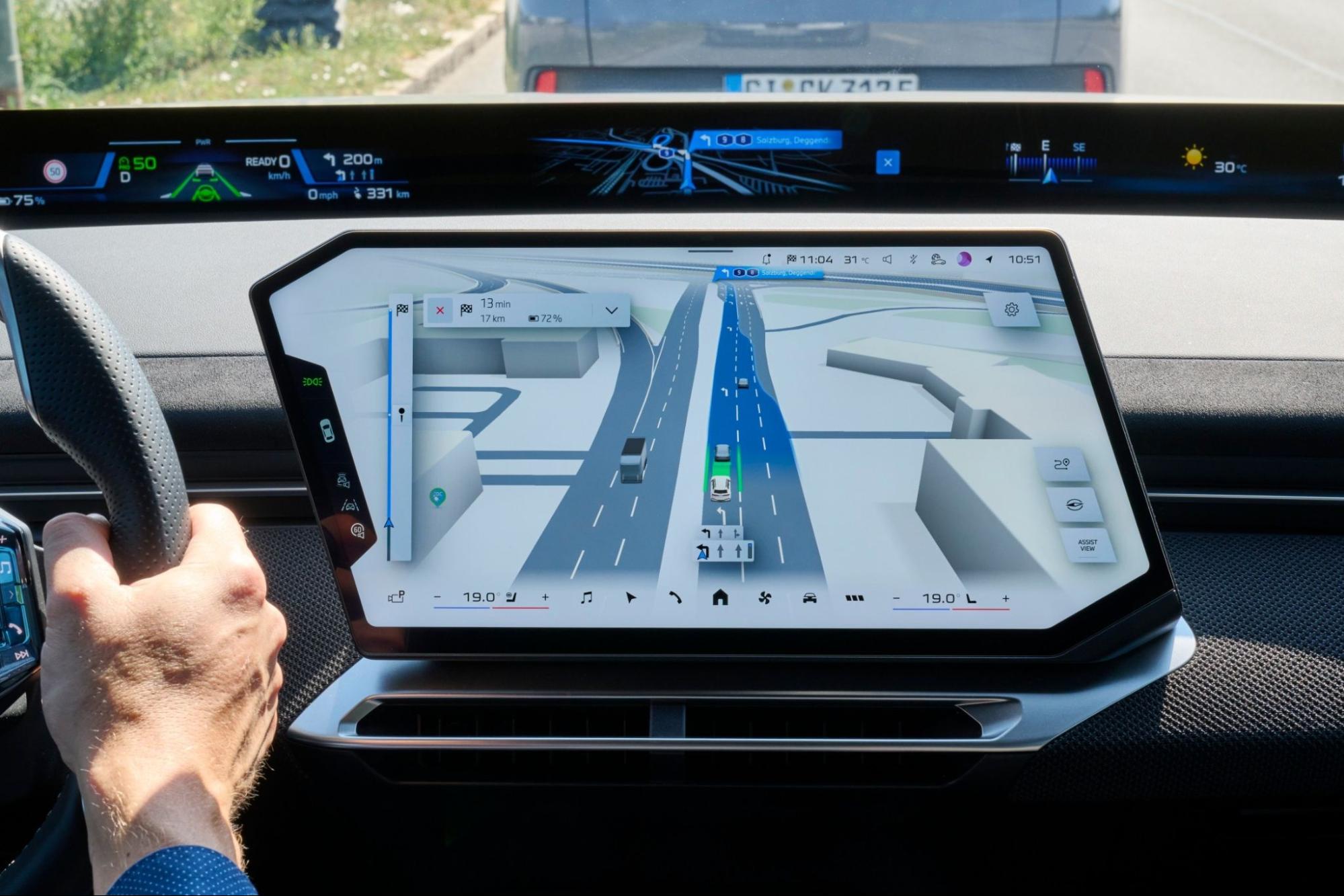
Mapbox Magic Carpet is lane-level guidance that highlights the selected route making it easy for drivers to follow. In assisted driving, Magic Carpet shows where the vehicle intends to go, giving drivers peace of mind.
.svg)
Delivers the full picture
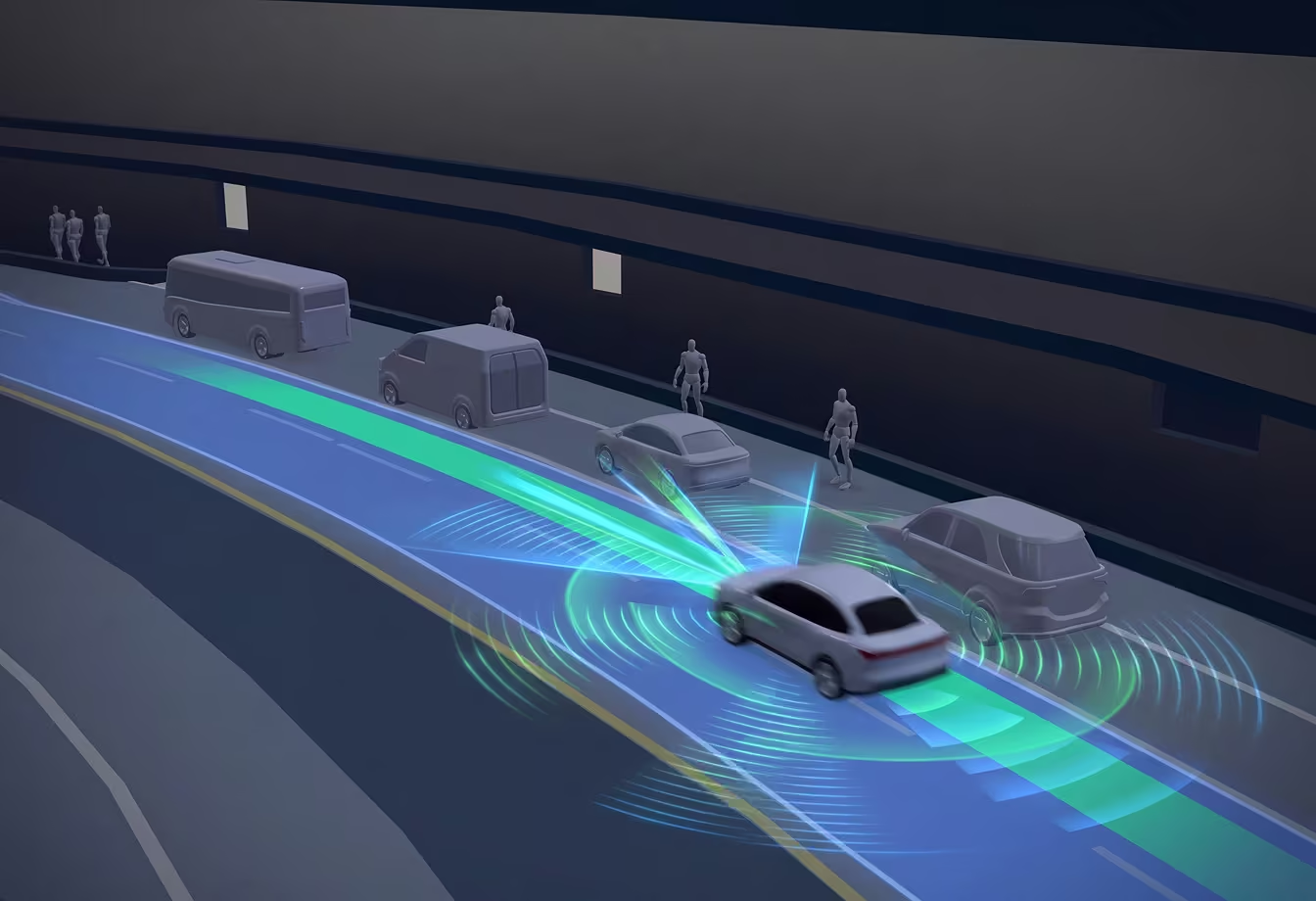
3D Live Navigation incorporates detections from the vehicle’s cameras and ADAS system into the navigation experience, giving the driver a holistic view of the road and surrounding vehicles, pedestrians, and objects.

Any screen, or all of them
High-performance, power-efficient rendering paints a beautiful picture on screens of any size, aspect ratio, or number. Display different navigation details across screens to put the right information where the driver needs it.
Instant map updates
Mapbox’s live map draws on billions of miles of drive data each week resulting in daily map refreshes. Over-the-air updates give your navigation application a continuously updated foundation for routing and visualizing the road without any developer or user action.
Live surroundings
3D Live Navigation integrates detections from vehicle sensors and cameras to visualize everything around it, directly in the navigation experience. Cars, trucks, motorbikes, bicycles, and pedestrians are rendered on the 3D map in their real-world positions, and fade in and out smoothly based on their proximity.
Even static objects like traffic signs, stoplights, and traffic cones are rendered as 3D objects in the navigation experience.
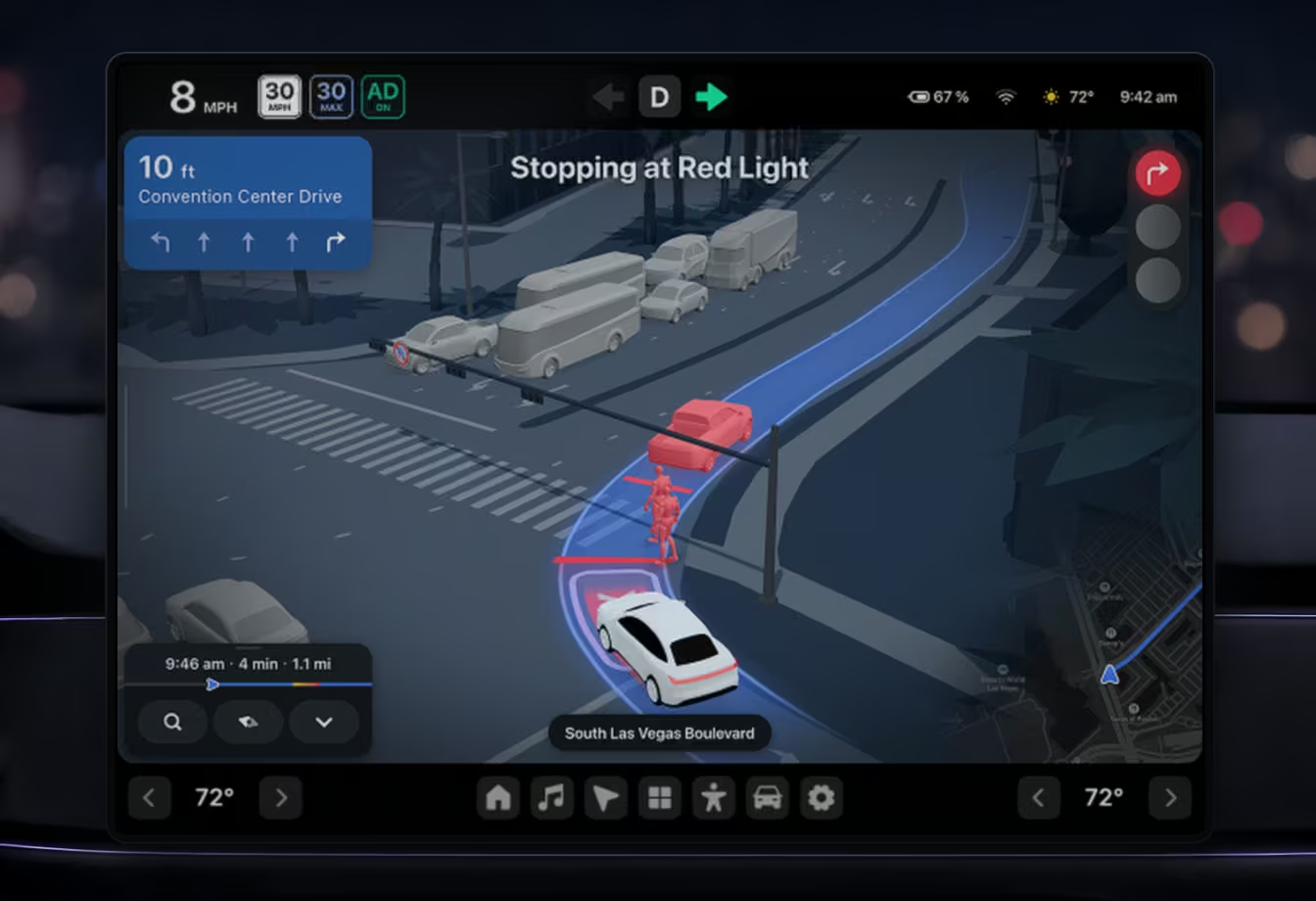
Driver assistance, visualized
3D Live Navigation renders notifications from driver assistance features directly in the navigation experience. This means Lane Departure and Lane Occupied warnings, Active Cruise indicators, and automated lane change notifications appear in 3D space, in relation to objects on the road where the driver intuitively expects them.
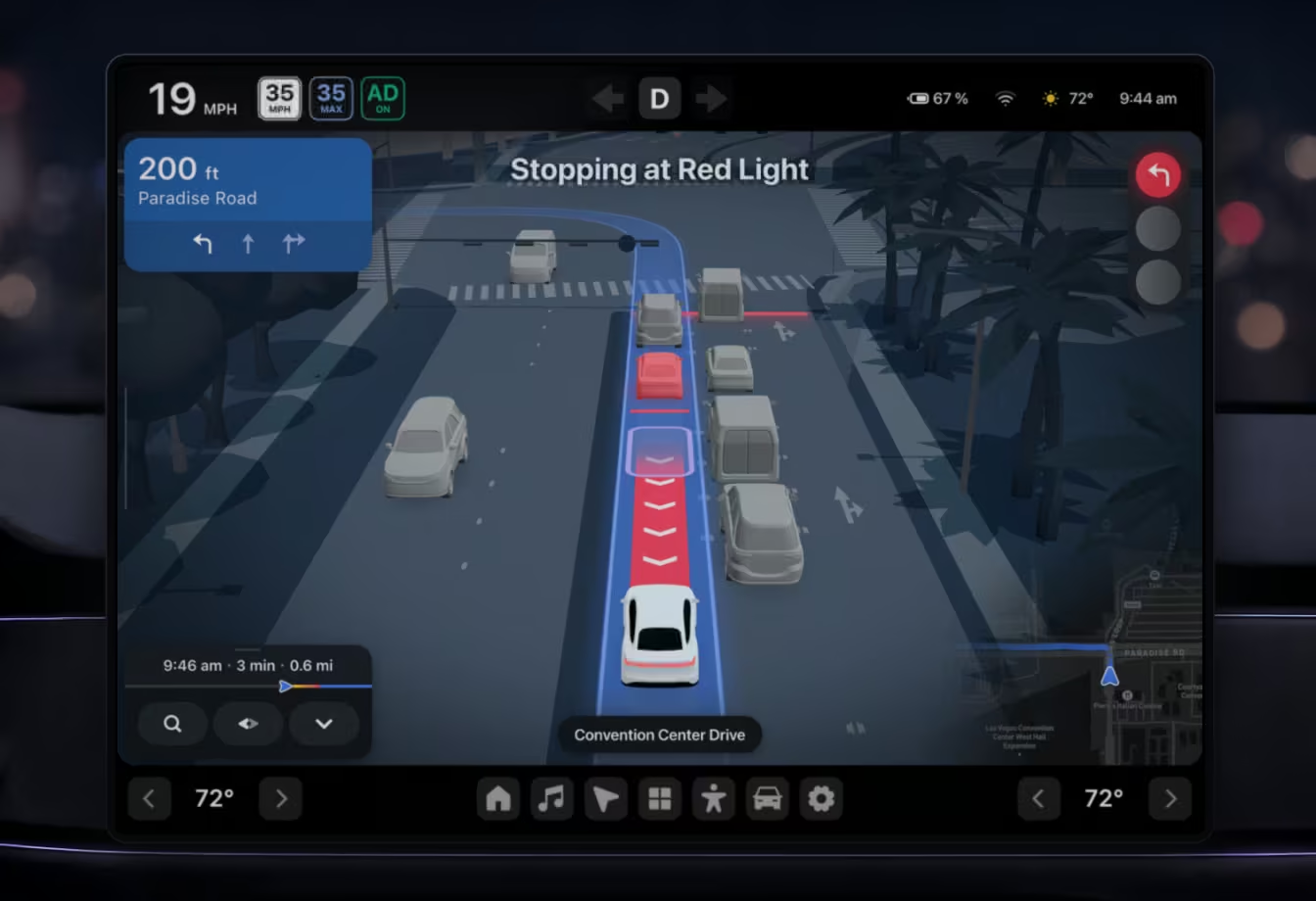
Lanes and landmarks working together
Mapbox 3D Live Navigation includes 3D Lanes and Mapbox Standard 3D Landmarks, which deliver full lane information and detailed landmarks in hundreds of cities worldwide. When the view on the map looks like the view from the windshield, navigating becomes easy and intuitive.
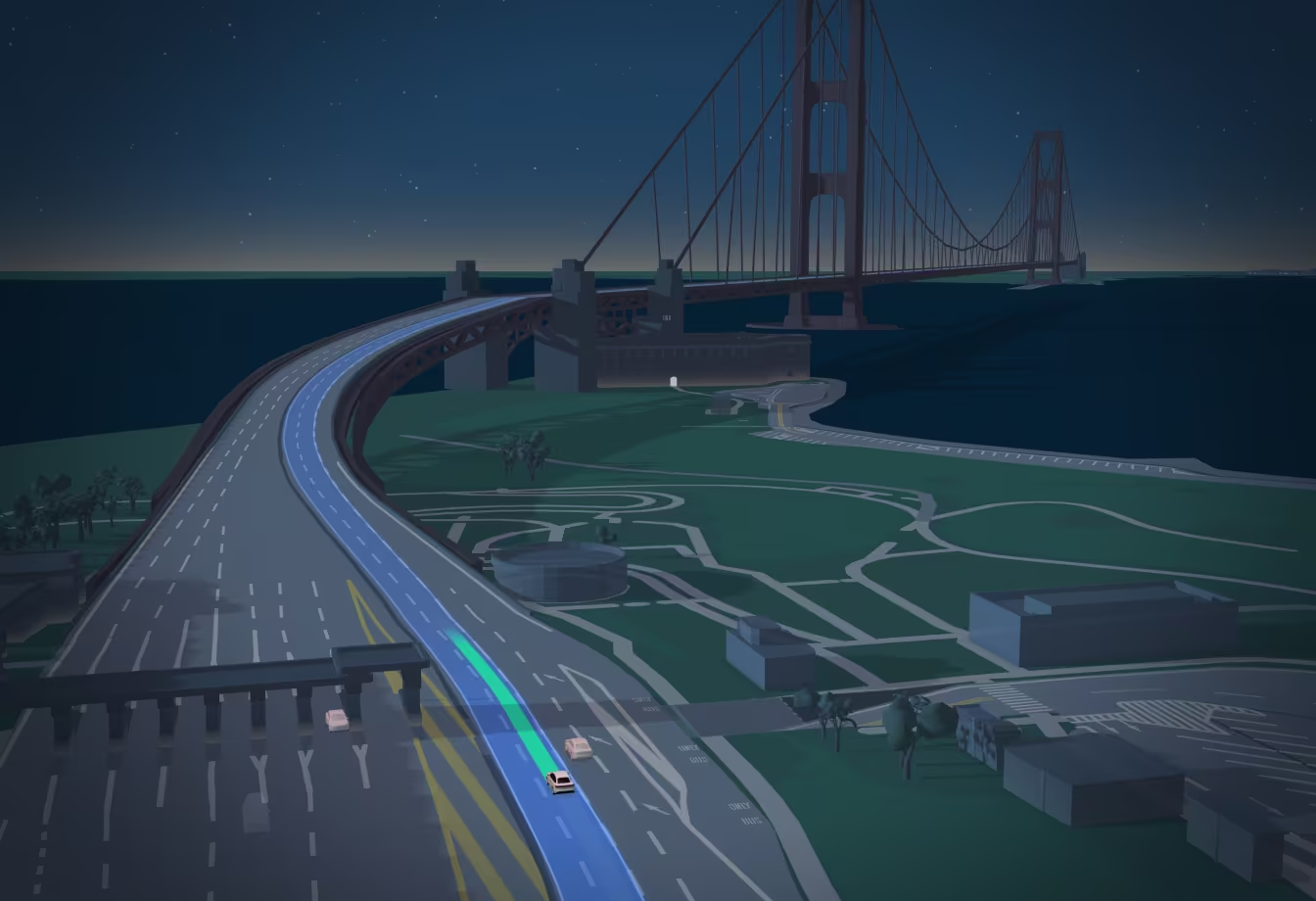
Right information at the right time
3D Live Navigation is designed to show just the right amount of detail at the right time. When approaching a maneuver, the scene gracefully transitions to show more detail at the optimal viewing angle giving the driver an easy-to-understand overview of what’s about to happen.
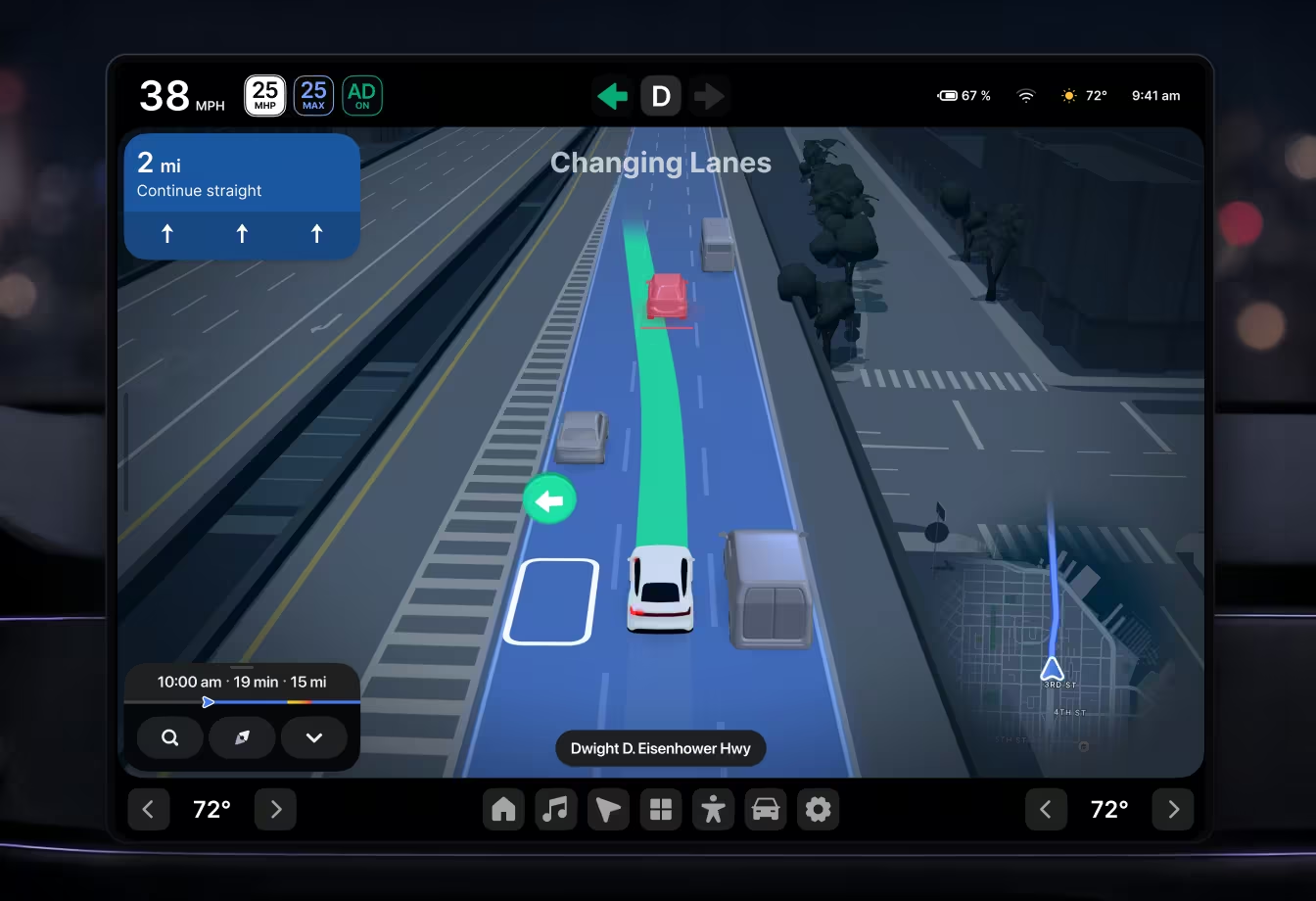
Smooth moves
Frame-to-frame stabilization ensures detected objects render smoothly without jitter or flicker, and low-confidence detections are styled so they do not distract the driver.
When road data or sensor signals are not available, 3D Live Navigation smoothly transitions to route overview mode so that the driver experience continues uninterrupted.

Frequently Asked Questions
Mapbox 3D Live Navigation is a set of mapping, navigation, and live data capabilities in the Mapbox Navigation SDK that OEM developers can use to build a 3D navigation experience for their vehicles. 3D Live Navigation combines lane-level guidance with detailed road context and vehicle information.
Mapbox 3D Live Navigation is a lane-level guidance feature that integrates ADAS detections. It shows the vehicle on the map in its actual lane of travel, along with other vehicles and objects nearby. 3D Live Navigation requires the vehicles with multiple cameras and other sensors to build the surround view. Mapbox 3D Live Navigation includes 3D Lanes
3D Lanes is similar to 3D Live Navigation but 3D Lanes does not know which lane the vehicle occupies, and does not detect and render other vehicles and objects nearby since 3D Lanes does not use ADAS detections or vehicle cameras. Developers can use 3D Lanes for lane-level guidance in both vehicle navigation systems and in mobile applications (mobile support coming in 2027).
Mapbox Magic Carpet is lane-level guidance, highlighting the precise path through upcoming maneuvers, including turns, lane changes, and exits. When assisted driving features are active, Mapbox Magic Carpet shows the vehicle’s intended path, giving drivers peace of mind.
Mapbox 3D Live Navigation includes 3D Lanes which handles lane detail. 3D Lanes is available in many urban areas in Europe, the United States, and Japan. Currently highways and major arterials in over 55 cities are covered, with additional coverage added daily.
The Mapbox Navigation SDK gives OEMs full control to build a navigation experience tailored to their vehicle and displays. 3D Live Navigation (and Mapbox Navigation in general) can be configured to run on any screen resolution and aspect ratio, including running multiple on vehicle displays simultaneously. Different navigation information can be shown in displays, while the SDK coordinates activities across displays. The Mapbox Navigation SDK provides many pre-built behaviors that simplify feature development, saving developers time such as automatic scene pan/zoom, smooth and stable rendering of detected objects, and scene construction that coordinates signals from vehicle sensors and cameras and renders objects in the correct plane relative to the map.
3D Live Navigation helps drivers position themselves correctly ahead of complex maneuvers as simply as placing the vehicle on the Mapbox Magic Carpet, reducing cognitive load and the likelihood of missing a turn.
Mapbox 3D Live Navigation is available now in Private Preview for OEM developers. To request access or a demo, please use the contact form on our Automotive page.
Ready to get started?
Create an account or talk to one of our experts.