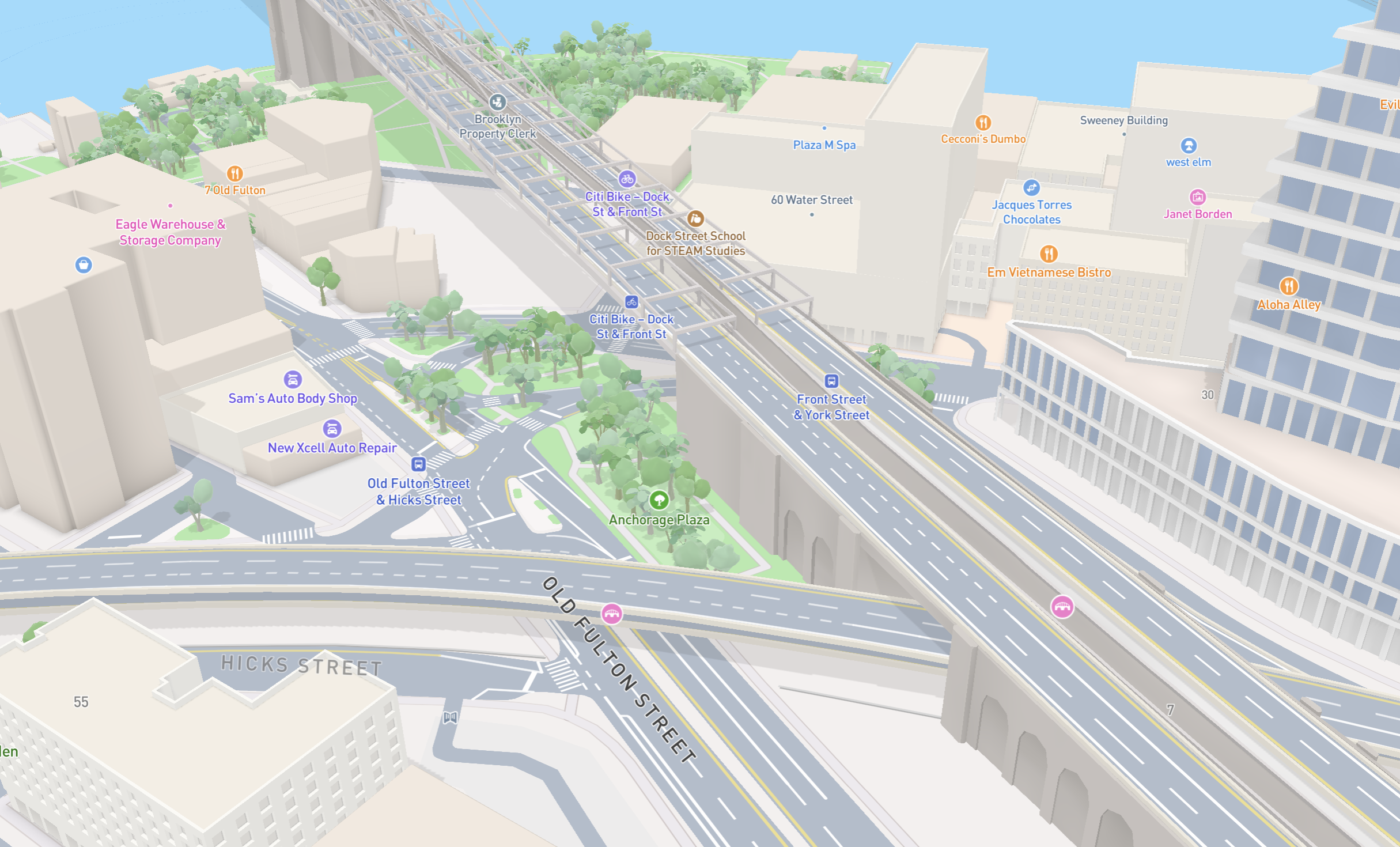
Detailed architecture and new design flexibility enhance the latest release of Mapbox Standard
Building facades, custom color options, night mode icons, and more.
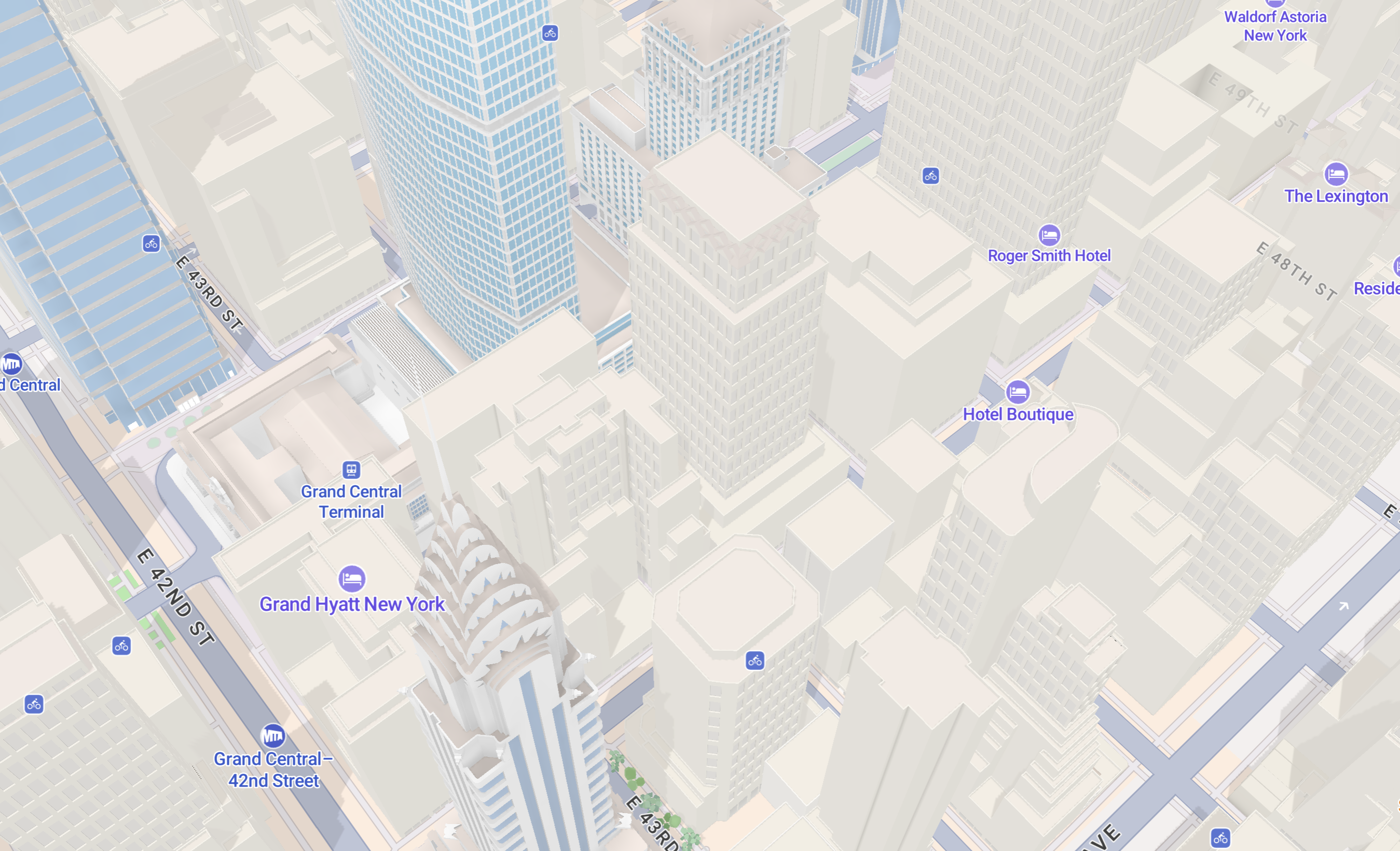
In the latest release of Mapbox Standard, cities now rise from the ground with breathtaking architectural detail. New color configurations also make every major map feature customizable. Mapbox Standard is a dynamic visual canvas built to inform, orient, and delight map users in 2D or 3D. Read on for the latest updates to the Mapbox basemap in winter 2025.
Runnerbeam brings creative race formats to life with real-time 3D maps
Runnerbeam is building the future of race day with real-time event tracking. With the Runnerbeam app, race organizers can track thousands of athletes in real-time through beautiful 3D maps. But what makes Runnerbeam truly unique is their focus on creative and unconventional races. Recently, Runnerbeam customer Unsanctioned Athletics challenged runners to reach as many checkpoints as possible within a time limit, with each checkpoint worth a different number of points. Runners who didn’t return within the allocated time faced a penalty. The format and checkpoint locations were only revealed 20 minutes before the start, making for frantic route planning and a test of raw street smarts.
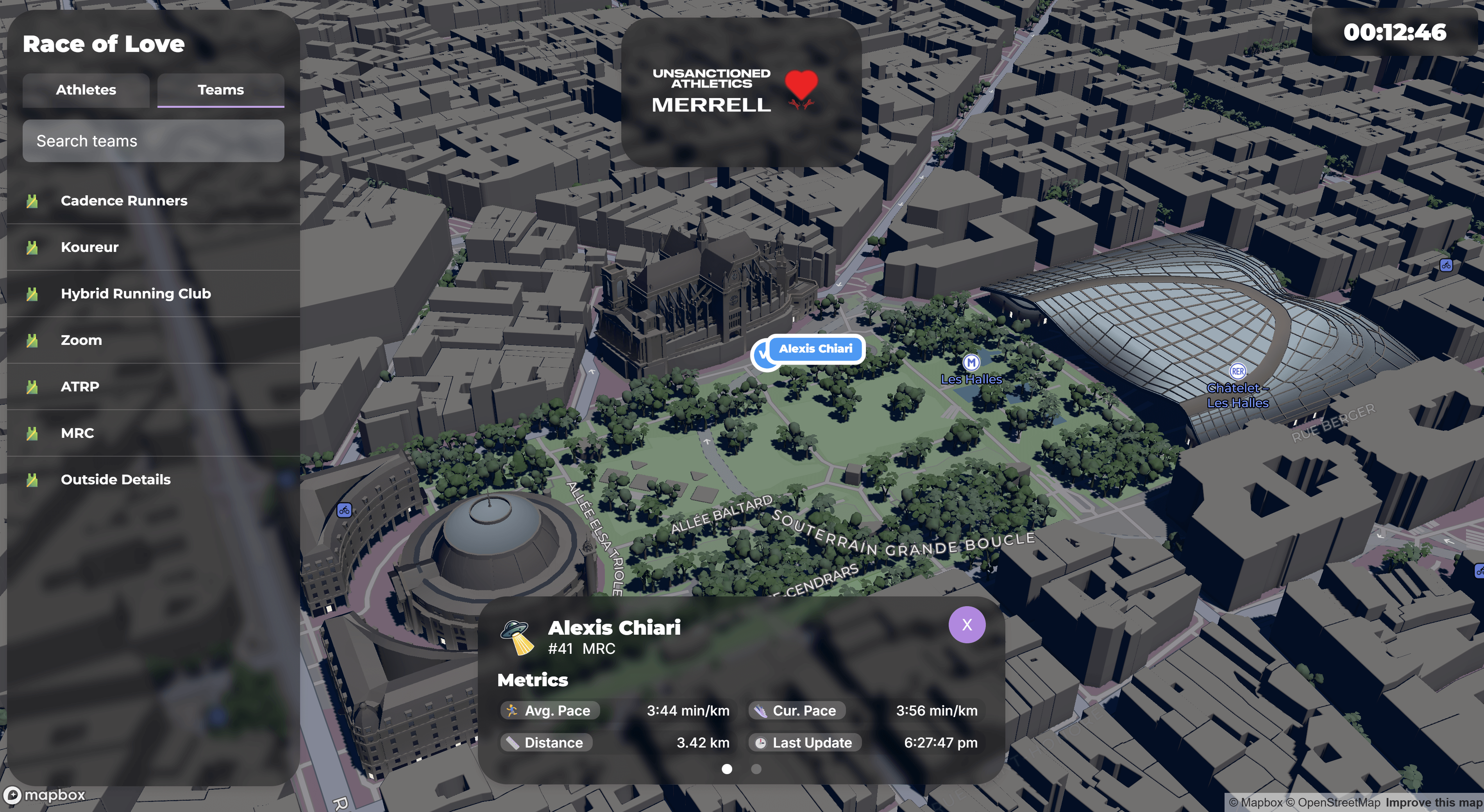
Organizers and spectators of these races are passionate and want to track the race on their phones or at headquarters with members of their run crews and community. Runnerbeam chose Mapbox and the Mapbox Standard basemap for real-time tracking of participants.
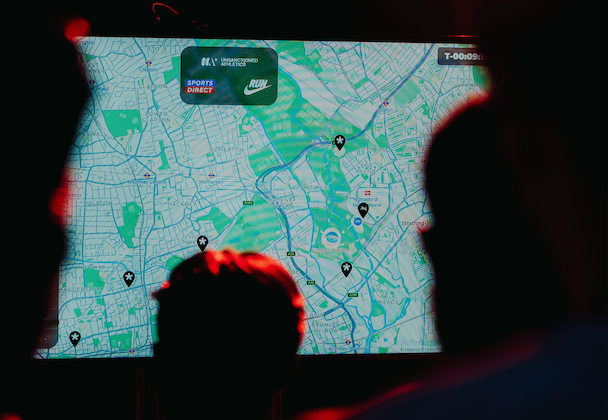
What attracted us to Mapbox Standard is the beautiful 3D visuals and map design. The 3D element of the basemap not only offers better location context for tracking specific runners, it also creates a stunning and immersive environment that feels as unique and creative as the types of races we’re tracking. The dynamic light modes are amazing and really help reflect the conditions if we're running night or day races. The Mapbox renderers are performant enough to instantly load the 3D map, plus track up to thousands of runners in real time. We can’t wait to check out the new features in this release, especially the new detailed building facades. -Elliot Clements, Co-founder, Runnerbeam
Stunning new building facades add practical value
Mapbox Standard now renders cities in stunning architectural depth with the addition of intricately designed building facades, including individual windows, sophisticated roof shapes, and ground floor detailing. The details elevate urban landscapes from more abstract representations into immersive, visually rich environments that offer both beauty and practical value. Mapbox Standard is the only symbolic basemap available with this level of facade detail.
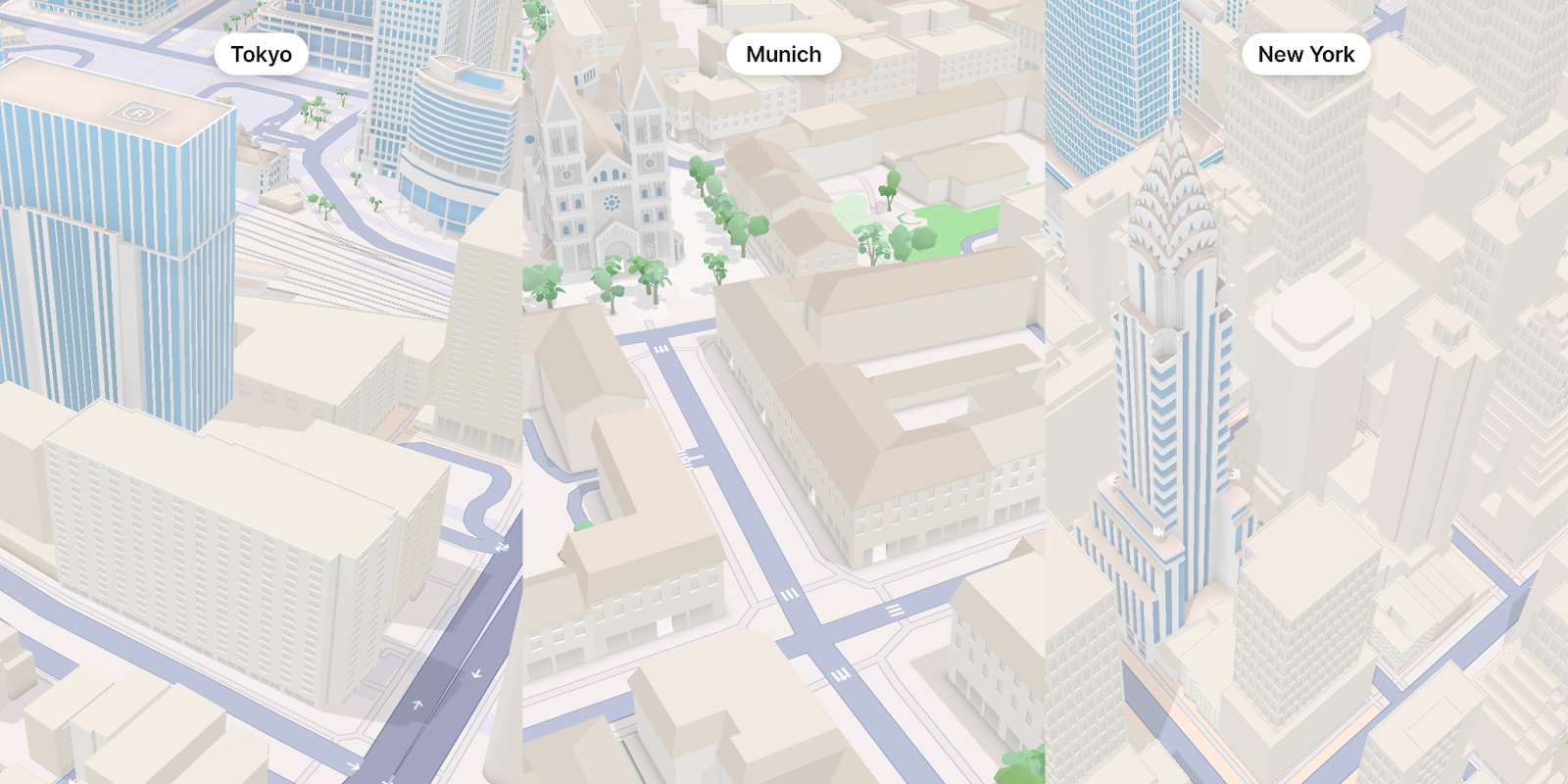
The detailed facades turn undefined blocks into separate, distinct buildings, making urban areas more recognizable. The subtle visual cues enhance navigation and more accurately represent buildings on real estate maps, store locators, news report maps, and more. The architectural details better represent the truly unique character of a neighborhood or tourist area, helping to attract travelers and shoppers.
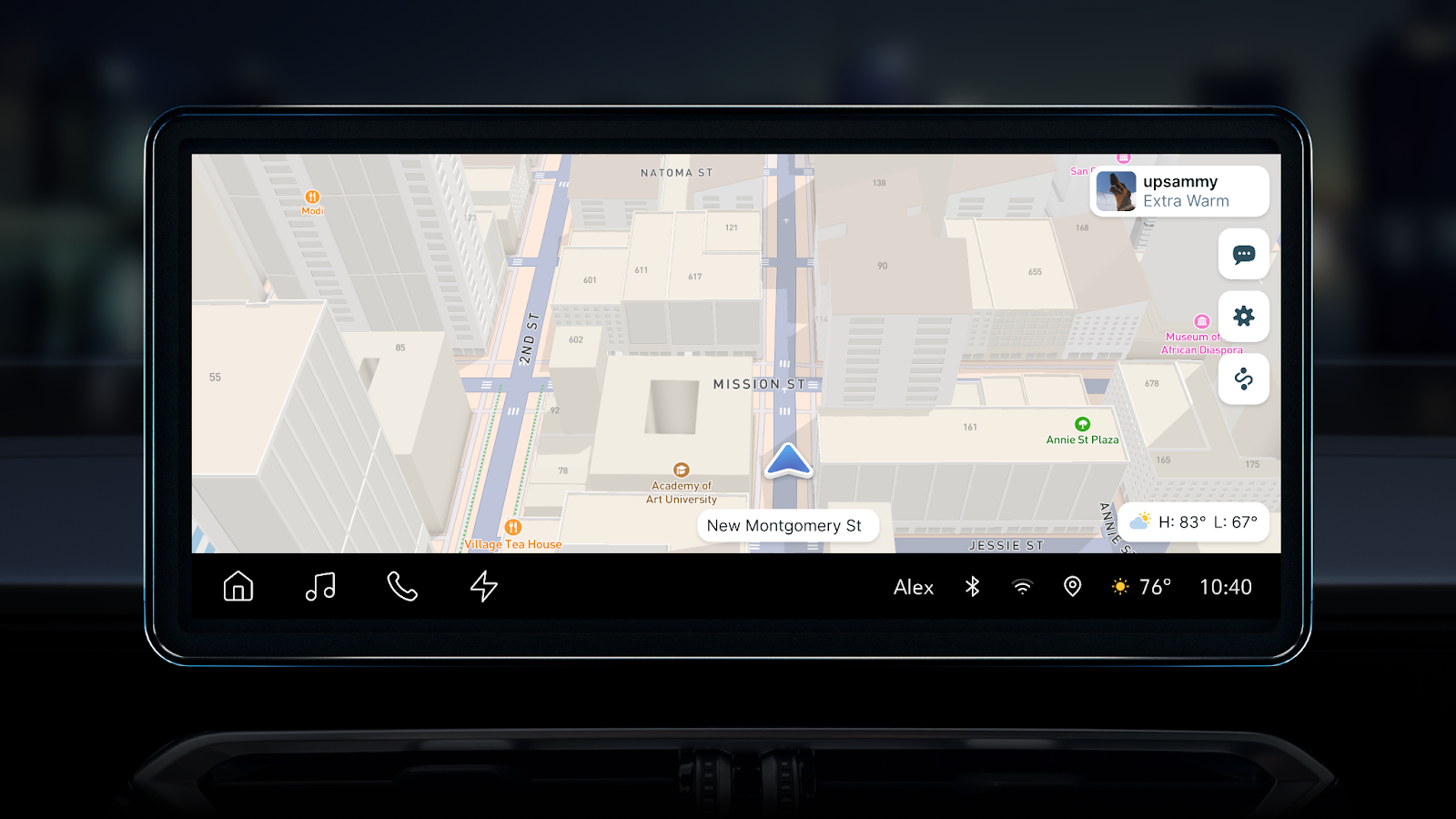
New detailed building facades are currently available in Munich, Berlin, Stuttgart, San Francisco, New York City, Las Vegas, Helsinki and Tokyo. More cities will be released in 2026. The facades are not included across all buildings in the city, but appear in core areas where custom designed landmarks exist to complement the detail of those structures. This strikes an optimal balance between detail, performance, and map legibility across global cites. The advanced architectural detail is available via the Mapbox Standard basemap, but must be toggled on in Studio or enabled directly in the code of an application using the show3dFacades property.
Additional basemap customization options
Mapbox Standard now has new options to customize colors and visibility of 3D elements, in addition to customization options provided in the previous update to Standard. Map designers can now adjust the color of 3D buildings using a flexible color selection tool.
The color of land use areas is also adjustable. For example, a designer can use color to emphasize the visibility of commercial and financial districts to complement icons and branding.
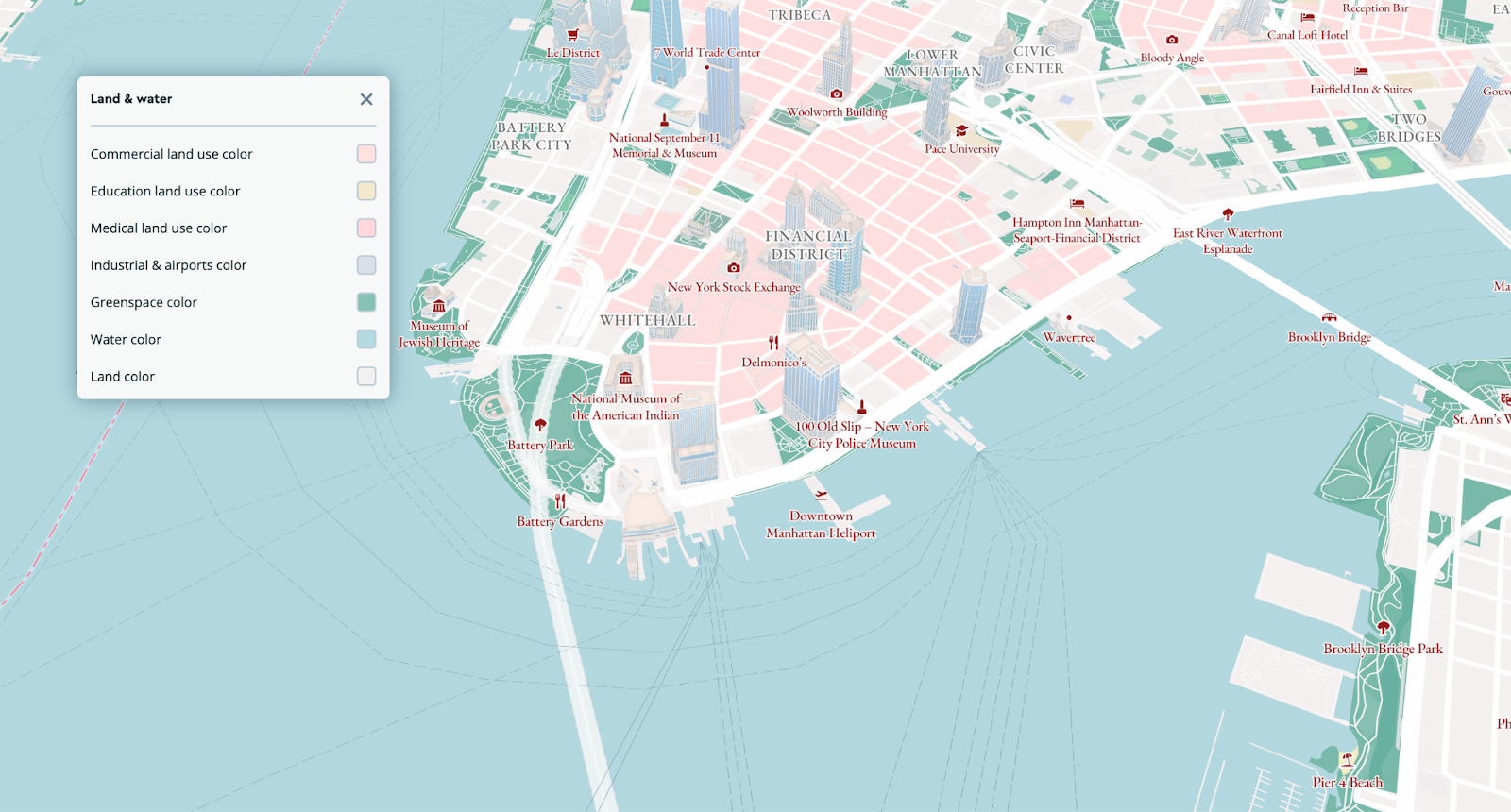
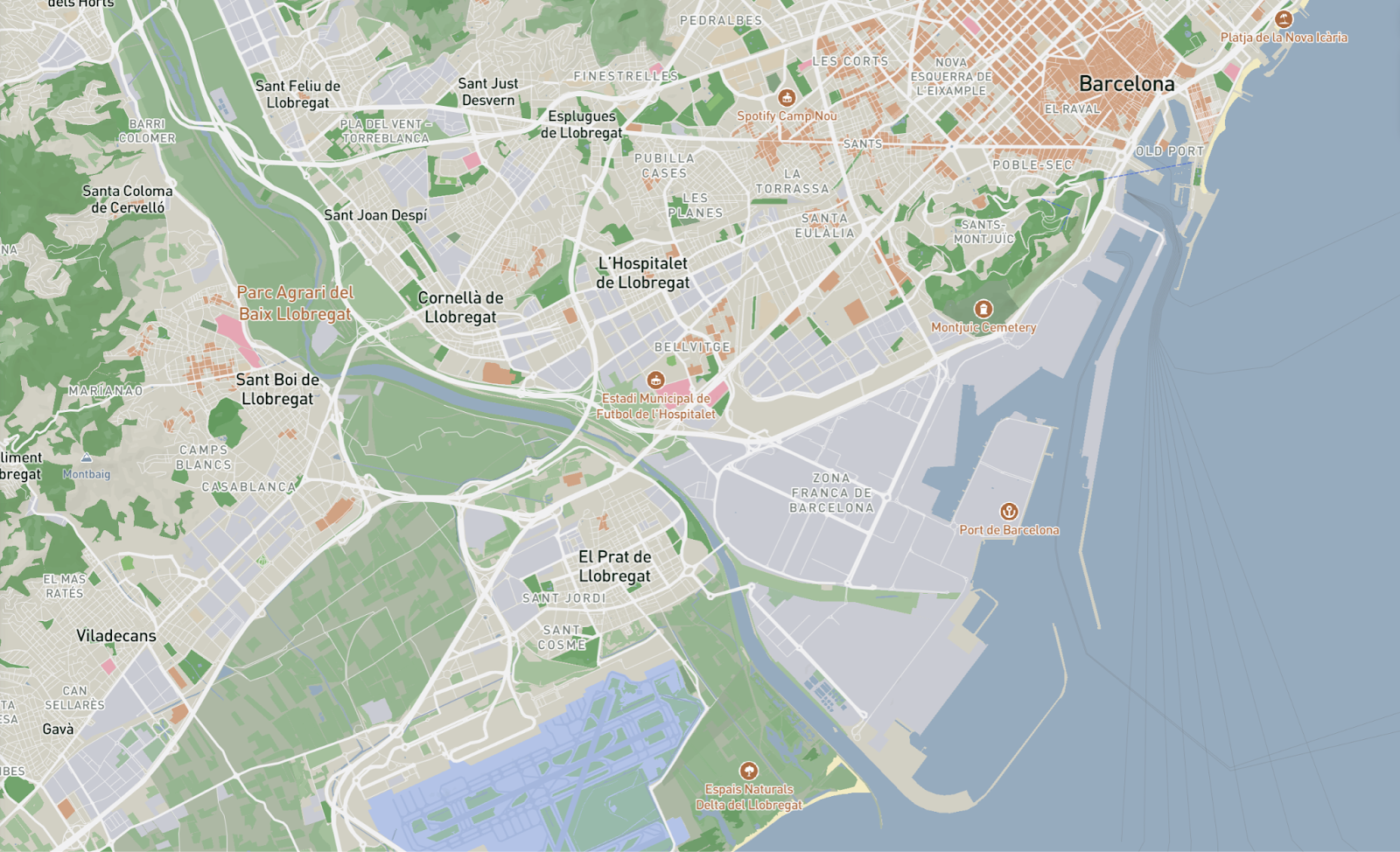
With these new capabilities, every major map feature on the basemap is customizable, including fonts, place labels, administrative boundaries, greenspace and water color, road and transit labels, POIs, buildings, and land use areas.
Standard now also includes controls for separately controlling the visibility of 3D trees, buildings, and landmarks. For example, designers can turn off 3D buildings and landmarks, but leave the 3D trees on the basemap.
Expanded landmark icon coverage and a night mode redesign
Mapbox Standard initially included 1,600 landmark icons in 40 global cities. The total is now 6,500 icons across 450 global cities, including Detroit, Cape Town, Beirut, and Vatican City.
Additionally, Mapbox designers have redesigned the landmark icon styling in night mode to make them more striking and distinguishable on the map. To add landmark icons to a map, users can turn them on in Mapbox Studio or by using the showLandmarkIcons property in runtime.
Jumpstart map design with new pre-built themes
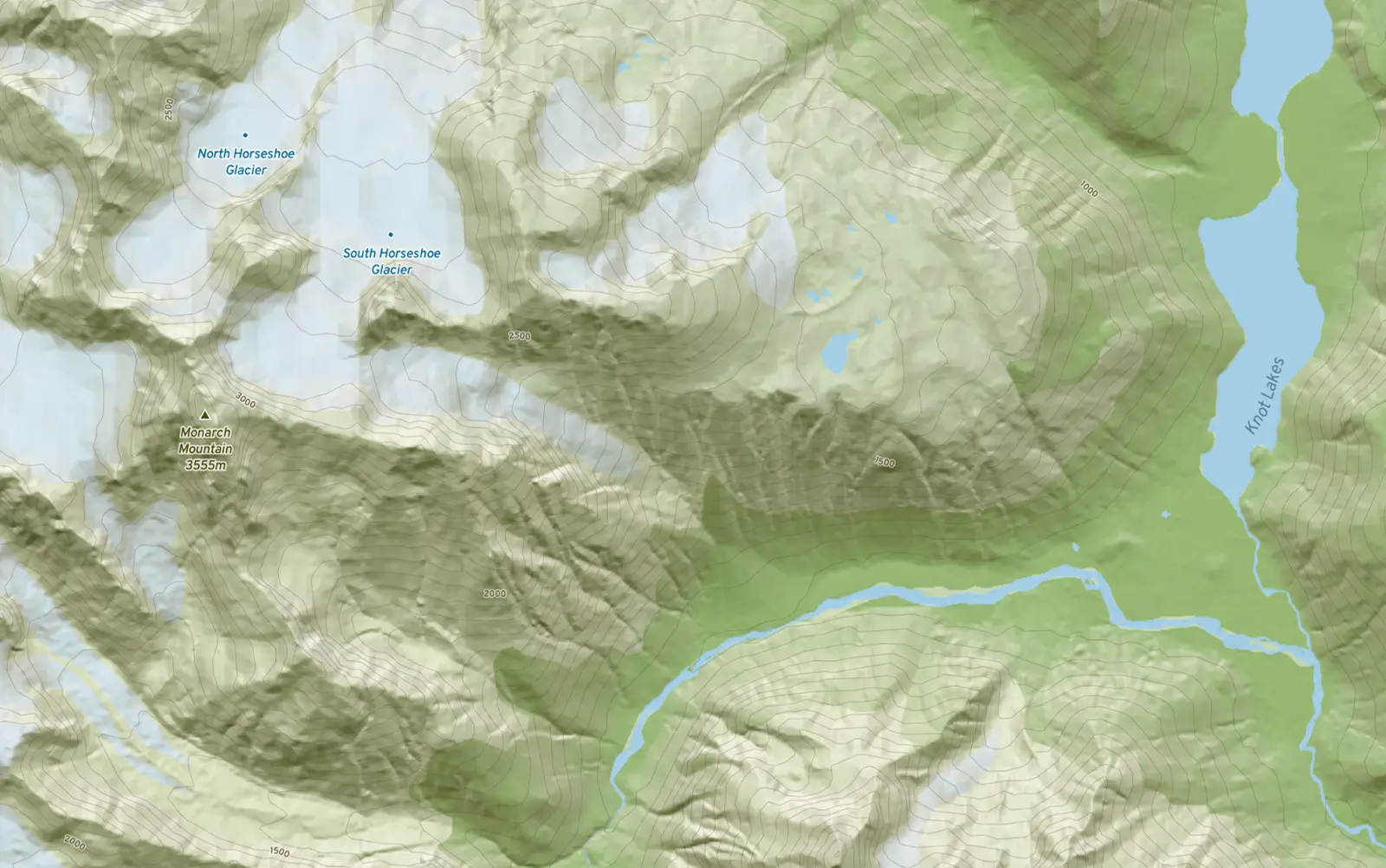
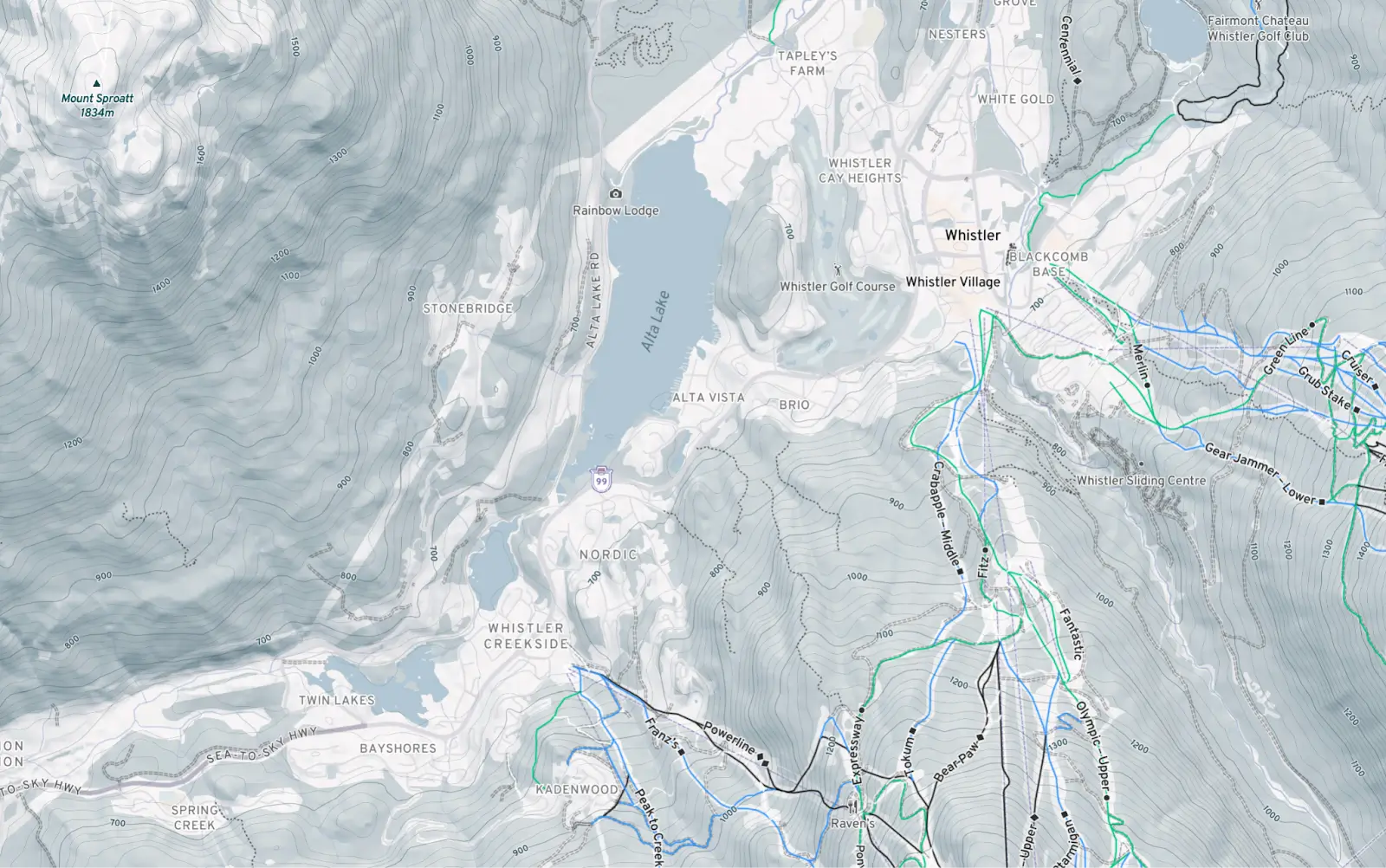
Mapbox has added new themes to the style Gallery. Themes are pre-defined color variants of Mapbox Standard. They’re for developers that may want to customize Standard to their use case, but may need some inspiration, or want to save time and use the themes out-of-the-box. Outdoors and Outdoors Winter themes package the benefits of Standard for an outdoor use case - like dynamic lighting and easy color customization.
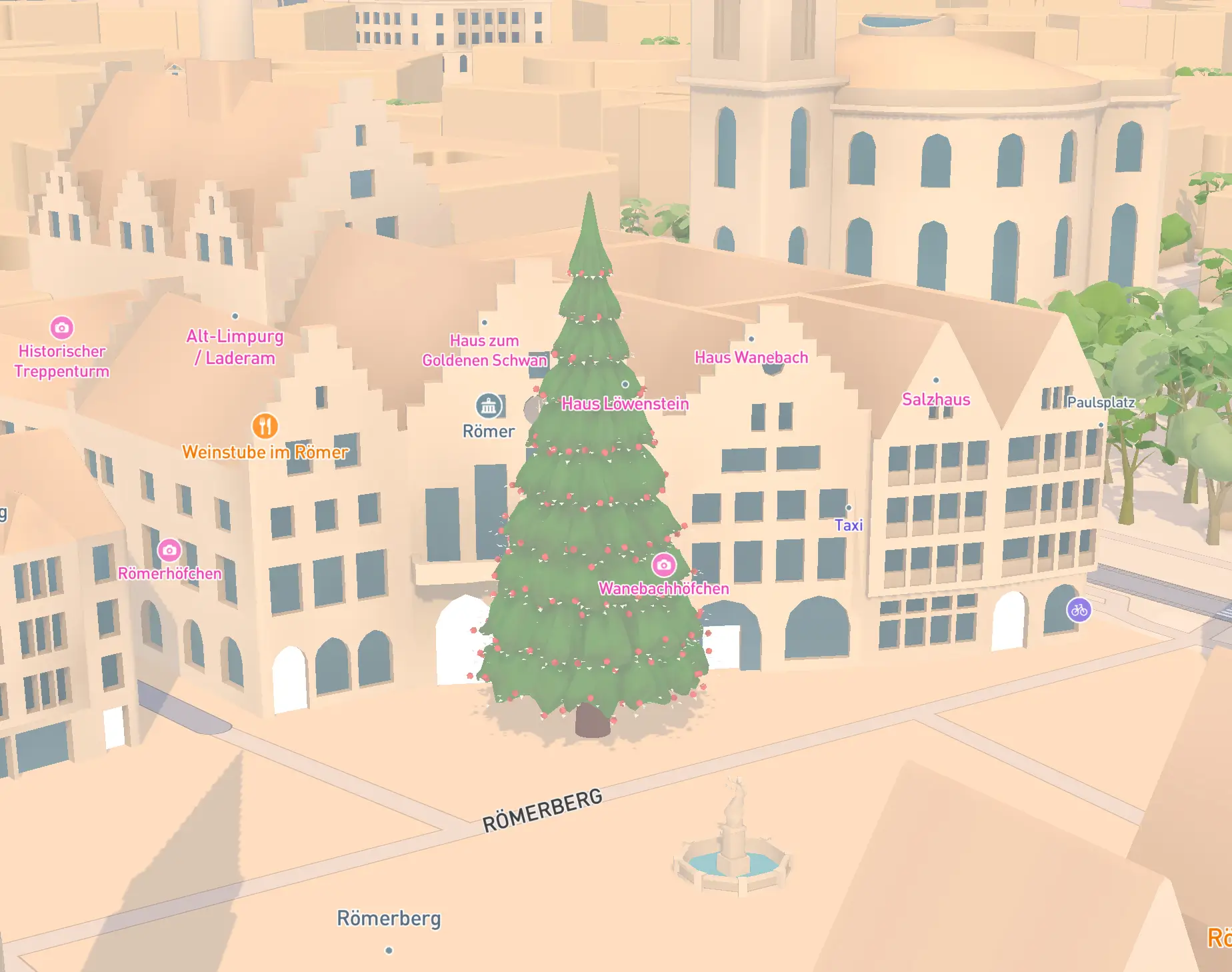
For December, Mapbox Standard will also include custom designed Christmas trees in 100 cities to add a festive flair to the style. Cities pictured below are Frankfurt and New York.
%201.webp)
New features are automatically updated and available now
One major advantage of Mapbox Standard compared to other Mapbox legacy styles is that new basemap features and functionality are pushed to the style and available immediately without a manual, time-consuming style update. The same applies to basemap data updates, like the ever-expanding POI coverage and additional metadata fields that were added to Mapbox Standard in the previous update. Migrating to Mapbox Standard enables any application to automatically benefit from continuous improvements in basemap quality, features, functionality, and design.
Mapbox builders can experiment with all features and functionality in the Standard playground. Explore the full documentation for the new Standard capabilities here. To build with Standard, use the latest versions of Mapbox GLJS and the Mobile Maps SDKs for iOS and Android.
——————————
What is Mapbox Standard?
Mapbox Standard is the flagship Mapbox style, offering a beautiful, ready-to-use global basemap. It's designed to be performant, user-friendly, and built from continuously updated and comprehensive data. It provides stunning cartography right out of the box, with options for further customization to fit any brand or application—no need to build maps from scratch. Mapbox continuously delivers updates to the style through new releases.
What is included in Mapbox Standard?
Out-of-the-box, Mapbox Standard is a comprehensive, general-purpose map with accurate, legible styling of roads, transit networks, POIs, water and land use areas. It emphasizes 3D building extrusions, 3D terrain, 3D trees, and custom designed 3D landmarks for the most popular landmarks in global cities. Stylized 3D landmark icons represent the landmarks at lower zoom levels. A dynamic lighting and shadow system for dawn, day, dusk and night allow for real-world representations of location data.
What can be customized with Standard?
Mapbox Standard is very customizable. The most important customization options include, but are not limited to, the following: Developers can turn all 3D models on or off in Mapbox Standard. They can customize the color, appearance and/or density of every major map feature, including fonts, place labels, administrative boundaries, greenspace and water, road and transit labels, POIs, buildings, and land use areas. They can customize the lighting of the environment with dawn, day, dusk or night presets.
Can developers bring their own location data to Mapbox Standard?
Yes, Mapbox Standard is a symbolic representation of the world, with a design paradigm and color aesthetic specifically chosen to highlight custom location data, not distract from it. Developers can use their preferred Mapbox tools for uploading and/or tiling their custom data, and then visualize it on Mapbox Standard.
What are Mapbox Standard themes?
Mapbox Standard themes are pre-defined color variants of Mapbox Standard. They’re for developers that may want to customize Standard to their use case, but may need some inspiration, or want to save time and use the themes out-of-the-box. See the Mapbox style Gallery for all current themes.
What’s new in the latest release of Mapbox Standard?
The latest release of Mapbox Standard introduces detailed architectural details to buildings - individual windows, sophisticated roof shapes, and ground floor detailing - in 6 global cities: Munich, Berlin, San Francisco, New York City, Las Vegas, and Tokyo. Developers can now adjust the color of buildings and land use areas. They can also turn off 3D buildings, trees and landmarks separately. Mapbox has expanded the coverage of landmark icons to 6,500 icons across 450 global cities, and redesigned the icons in night mode. Mapbox has also introduced two new Mapbox Standard themes: Outdoors and Outdoors Winter.
How do I get the new features in Mapbox Standard?
With Mapbox Standard, new basemap features, functionality and underlying data are pushed to the style and available immediately without a manual, time-consuming style update. Migrating to Mapbox Standard is an investment in the future of the map, as it enables any application to automatically benefit from continuous improvements in basemap quality, features, functionality, and design.
How do I start using Mapbox Standard?
Mapbox developers need to be on the latest version of the Mapbox web and mobile SDKs. They can choose Mapbox Standard as their style in Mapbox Studio and start designing, or insert the Mapbox Standard style endpoint in their code. Builders can experiment with all features and functionality in the Standard playground. They can explore the full documentation for Standard here.


Related articles

Albers projection displays US election maps more precisely

Mapbox GL JS reduces bundle size by up to 27% with modular rendering