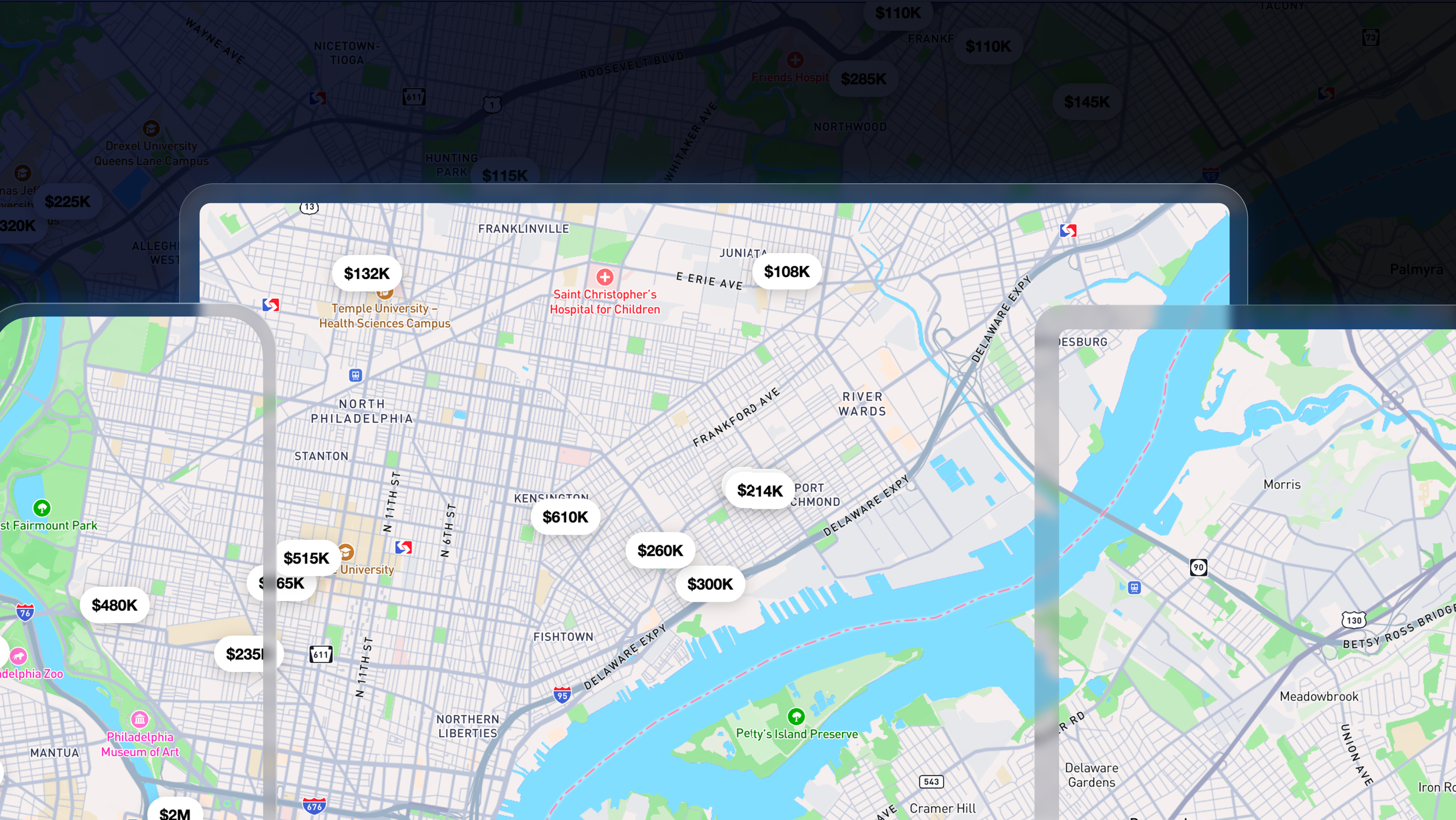
Web support for the Mapbox Maps SDK for Flutter is now in public preview. The same Dart code that renders a map on Android and iOS now runs in the browser. One dependency. One API. Three platforms.
One Flutter codebase across web and mobile platforms
Flutter promises a single codebase for mobile, web, and desktop. Until now, developers building with the Mapbox Maps SDK for Flutter could ship to Android and iOS from one Dart project, but there was no official path for web. Teams often relied on community packages or maintained a separate JavaScript implementation alongside their Flutter application. That meant duplicate work, duplicate bugs, and behavior that could drift over time. A camera animation that felt polished on mobile might behave differently on the web. Style updates often had to be implemented twice.
The v3 of the Mapbox Maps SDK for Flutter changes that. The same map widget used on mobile now renders on the web from the same codebase. Whether you are defining a camera view, loading a style, adding layers, or handling gestures you can now code that once and Flutter will select the appropriate implementation for each platform at build time.
The result is a more consistent map experience and fewer opportunities for platform-specific behavior to diverge, whether an application runs on Android, on iOS, or in the browser.
How web support works in v3
The v2 of the Mapbox Maps SDK for Flutter shipped as a monolithic plugin. The Dart API, bindings, and native Android and iOS implementations all lived in a single package. That architecture worked well for two mobile platforms that shared a native runtime, but it was not designed to accommodate a third platform with a fundamentally different rendering stack.
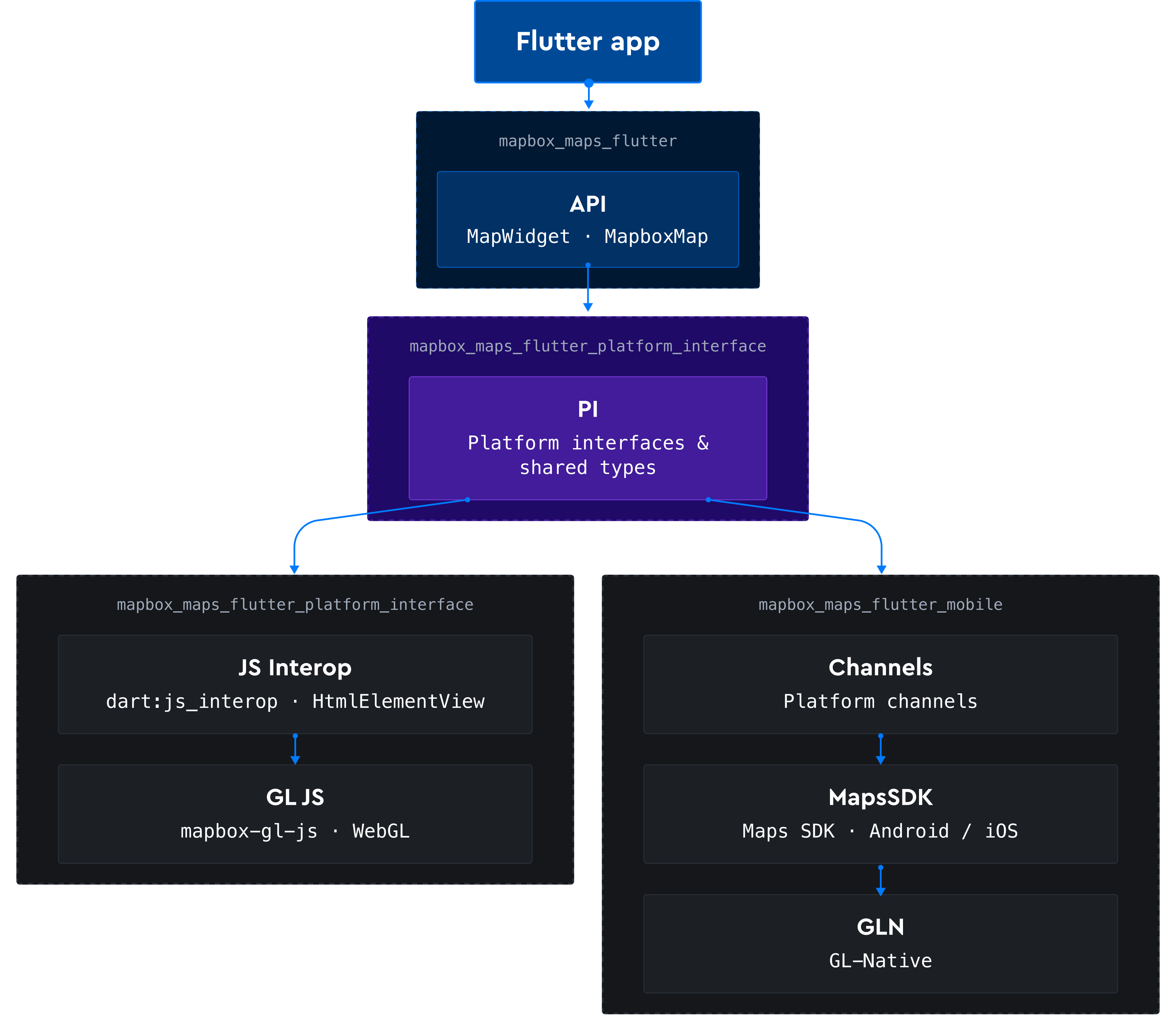
In v3, the Mapbox Maps SDK for Flutter introduces a federated plugin architecture. Applications depend on a single facade package, mapbox_maps_flutter. Behind that facade sits a shared platform interface and platform-specific implementations: mapbox_maps_flutter_mobile for Android and iOS, and mapbox_maps_flutter_web for browsers.
Flutter automatically selects the correct implementation at build time, allowing application code to remain free of conditional imports and platform-specific branches.
On Android and iOS, Dart communicates with the Mapbox Maps SDK through platform channels, which in turn drive GL Native. On the web, Dart communicates with Mapbox GL JS through dart:js_interop and renders into an HtmlElementView backed by WebGL.
The separation keeps each build lean. Web applications ship only the JavaScript bindings they need, while mobile applications ship only their native dependencies.
Supported features in v3 Public Preview
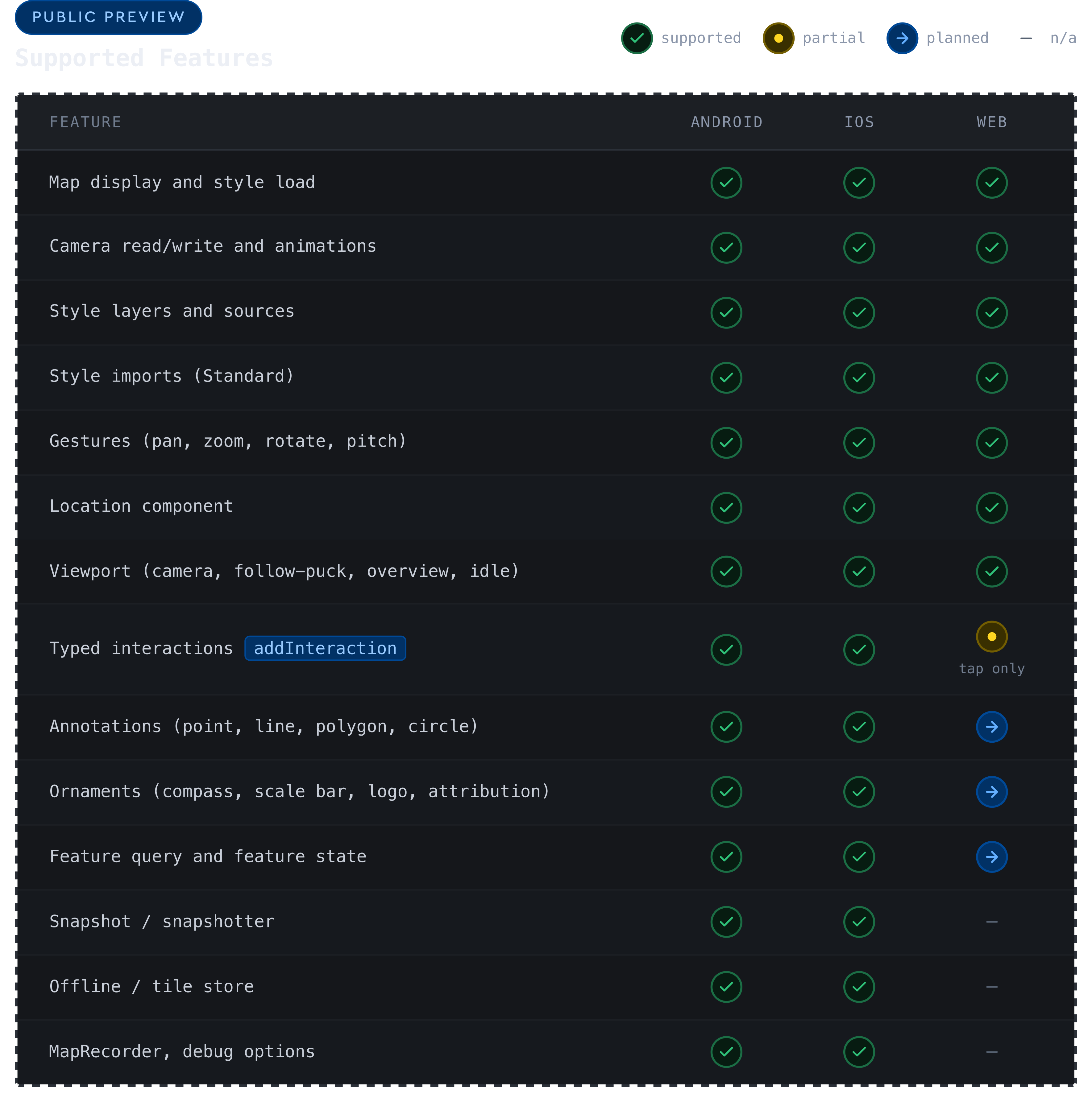
Web support for the Mapbox Maps SDK for Flutter has not yet reached feature parity with mobile. This is intentional. By releasing web support early, Mapbox is giving developers the opportunity to start building today while helping shape the path to general availability. Feedback from real-world applications will help prioritize improvements and guide feature development as support continues to expand throughout the year.
See the feature comparison below.
Get started on web
Dart
import 'package:mapbox_maps_flutter/mapbox_maps_flutter.dart';
MapboxOptions.setAccessToken(const String.fromEnvironment('ACCESS_TOKEN'));
MapWidget(
  viewport: CameraViewportState(
    center: Point(coordinates: Position(24.9384, 60.1699)),
    zoom: 12,
  ),
  onMapCreated: (map) { /* ... */ },
);
Install the preview release from pub.dev:
YAML
dependencies:
mapbox_maps_flutter: ^3.0.0-alpha.28
Full setup steps are in the installation guide.
Help Mapbox improve the Flutter SDK
Developers can report bugs, request features, and share feedback on GitHub.
If a missing capability or web-specific limitation is blocking a project, opening an issue is the fastest way to get it attention. For account or access-token questions, contact Mapbox Support.
Developer feedback plays a key role in shaping the roadmap toward general availability, helping to prioritize the fixes and features that matter most.


Related articles
New road detail in Mapbox Standard
Turn AI-generated map styles into production-ready maps in minutes with Mapbox Studio