Mapbox Albers projection support is now available in public preview in the Mapbox Maps SDKs for iOS and Android, bringing the Mobile SDKs to parity with Mapbox GL JS. Now maps using the Albers projection will look the same across web and mobile platforms. This is especially important for US election maps where visualizing the precise size of US states is pivotal to accurately presenting election information.
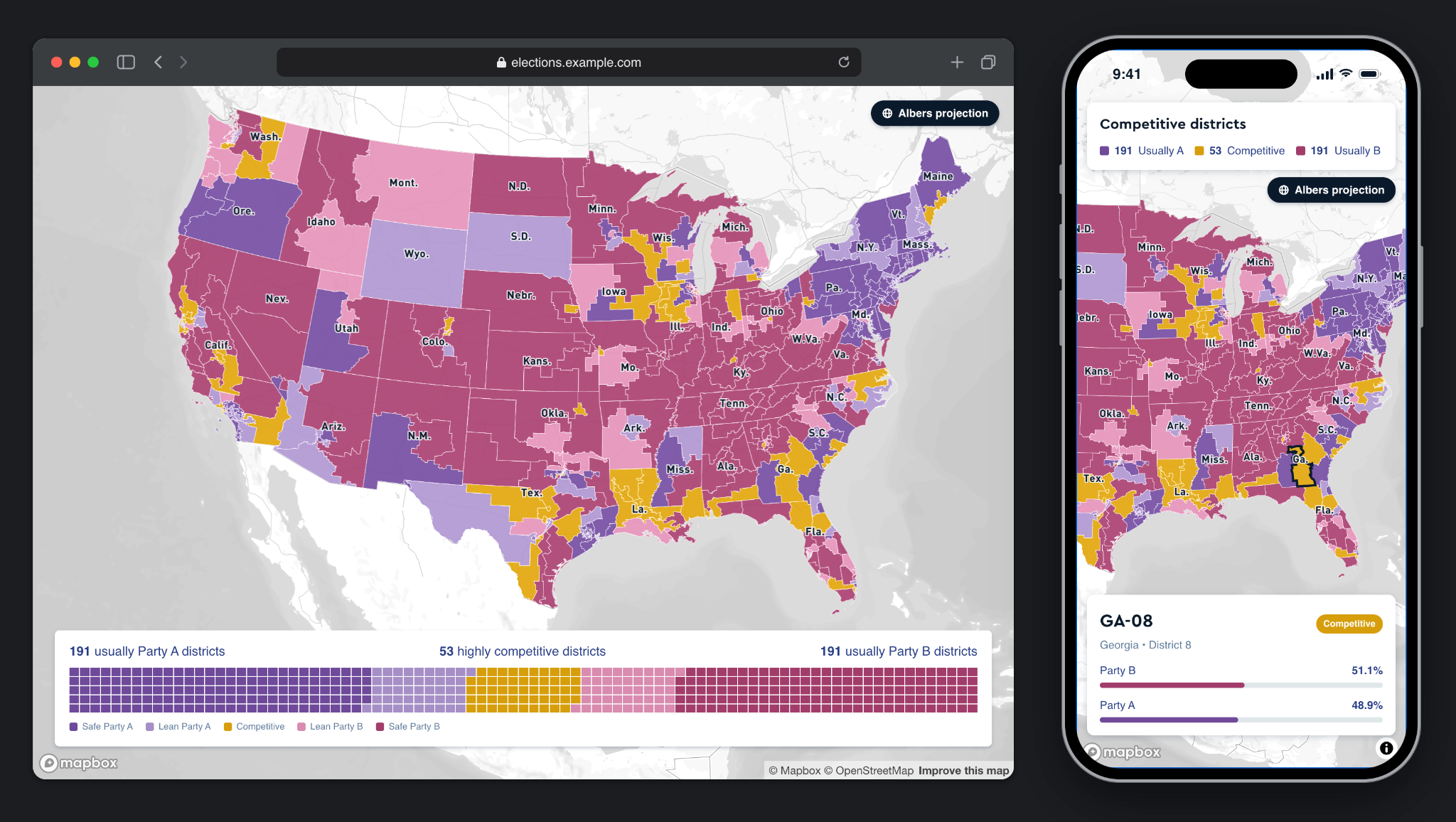
Albers and election maps
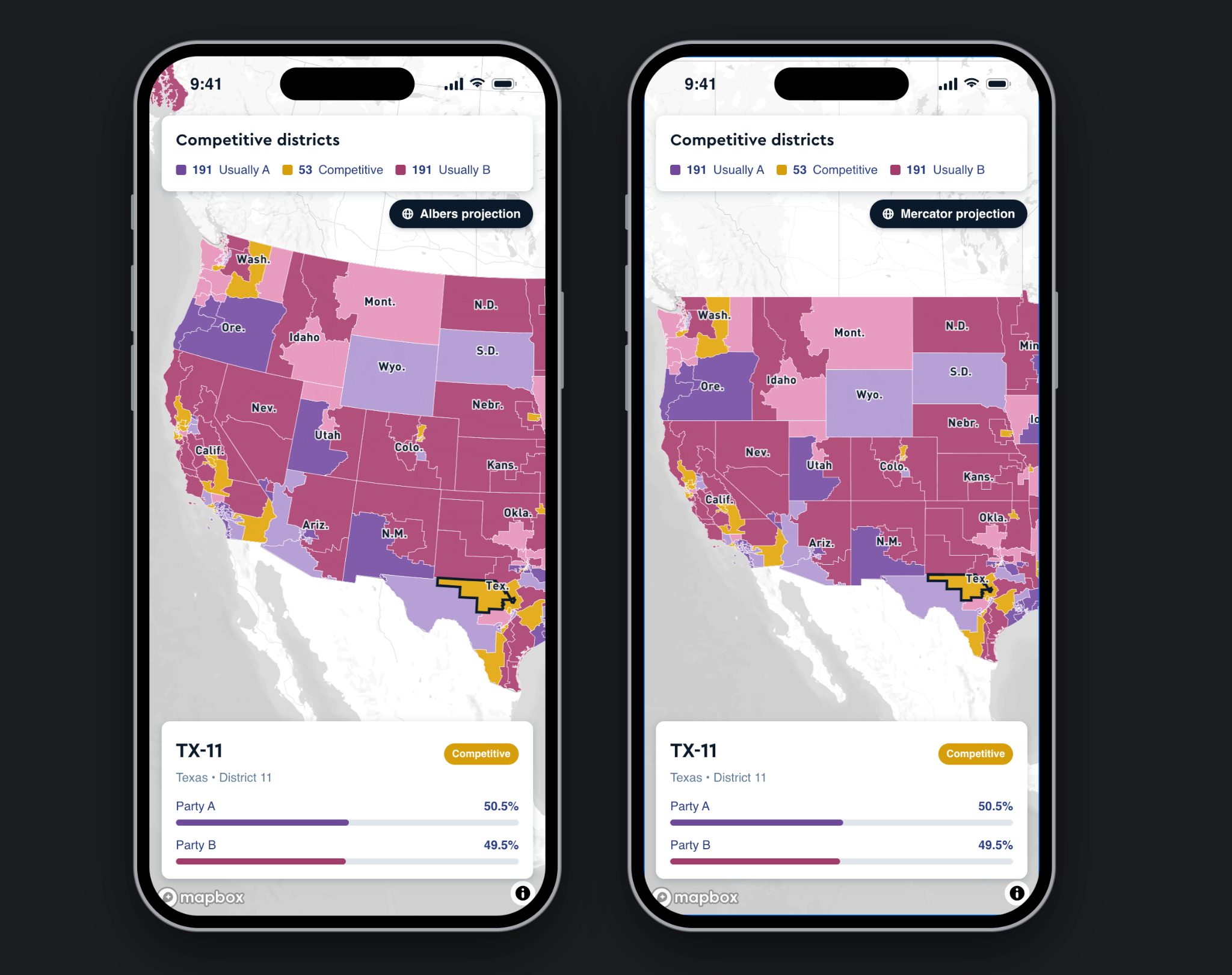
Web Mercator is the default for most web maps. It preserves local shapes and angles, which makes it great for navigation and for zooming into street level. But it stretches areas the farther you get from the equator.
For most maps, that tradeoff is acceptable. For US election maps which are represented by a choropleth, it can be misleading. Large northern states take up more visual space than they would on a globe, and that could distort how readers weigh the poll results of one region against another.
The Albers projection addresses this issue. It preserves the relative size of regions, and it keeps distortion low across the contiguous US. Albers is the standard for US national thematic maps, including those from the US Census Bureau and the National Atlas. For election coverage, that means the shading you see reflects the data and not the geometry.
An election map with Albers projection can be paired with Mapbox Boundaries for precise shading of administrative boundaries like states and counties, legislative boundaries for constituency areas, and statistical boundaries such as US census blocks.
Get started
Albers projection support is in public preview for mobile. To display your map in Albers on iOS or Android, you can edit the map style in Mapbox Studio, or in a style JSON that you load at runtime:
{
  "version": 8,
  "projection": { "name": "albers" },
  "imports": [{ "id": "basemap", "url": "mapbox://styles/mapbox/standard" }],
  "sources": {},
  "layers": []
}
Albers projection support is generally available on the web. For more information, explore the guides for projections on GL JS, iOS and Android.


Related articles

Mapbox GL JS reduces bundle size by up to 27% with modular rendering
New road detail in Mapbox Standard