Section Heading
Lorem ipsum dolor sit amet, consectetur adipiscing elit, sed do eiusmod tempor incididunt ut labore et dolore magna aliqua. Ut enim ad minim veniam, quis nostrud exercitation ullamco laboris nisi ut aliquip ex ea commodo consequat. Duis aute irure dolor in reprehenderit in voluptate velit esse cillum dolore eu fugiat nulla pariatur.
Showing 0 of 0 features
Mapbox enables “digital twin” functionality where animation of vehicle functions like turning wheels, opening doors, and operation of brake lights, turn signals, and headlights can be expressed in the digital model, representing real-world vehicle actions in real time. This adds an additional layer of true-to-life context that will improve safety.

Mapbox enables “digital twin” functionality where animation of vehicle functions like turning wheels, opening doors, and operation of brake lights, turn signals, and headlights can be expressed in the digital model, representing real-world vehicle actions in real time. This adds an additional layer of true-to-life context that will improve safety.
.gif)
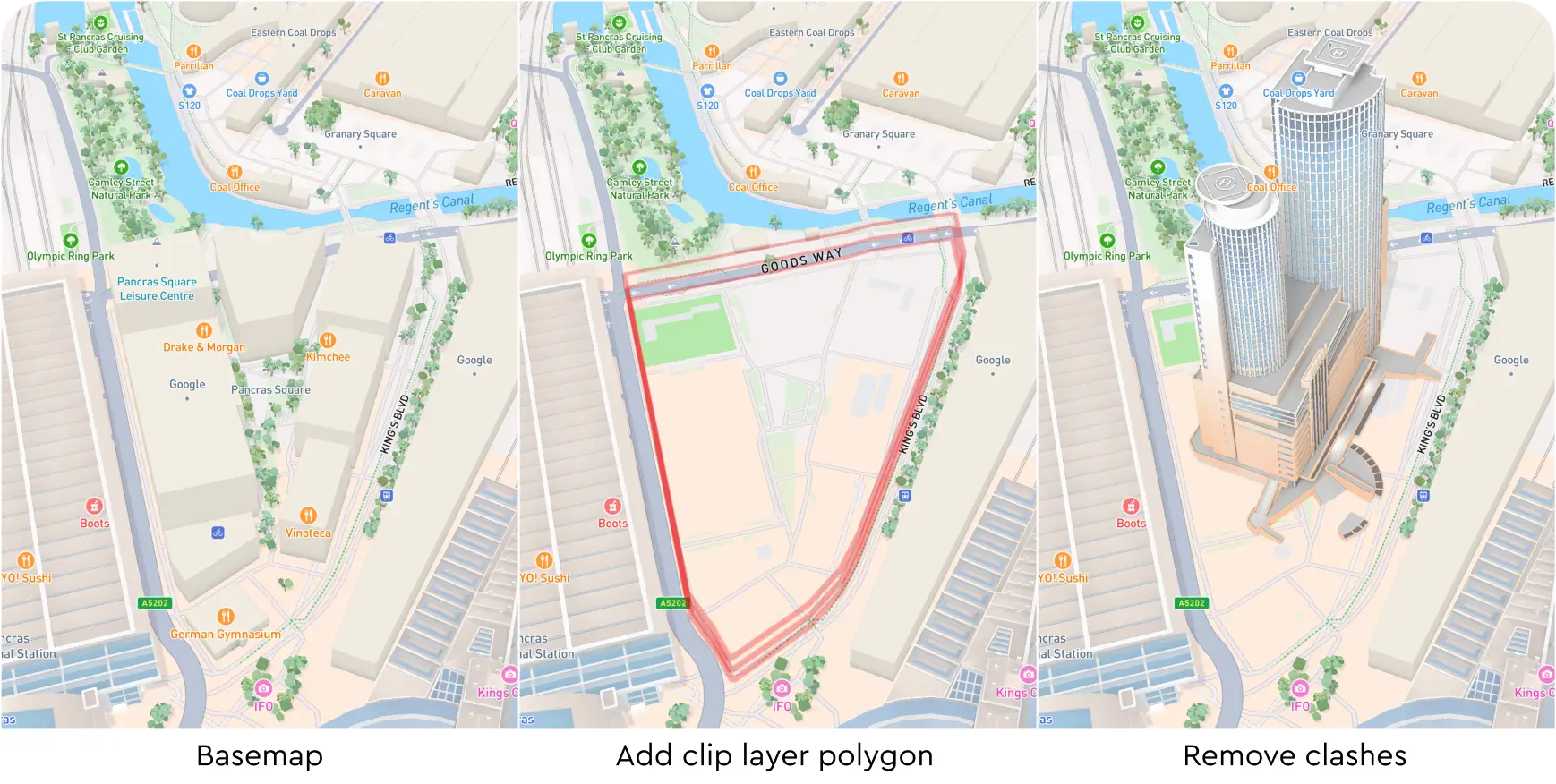
Developers can define a custom polygon within which all existing buildings, 3D models, and symbols are removed. The ‘clip’ layer type removes competing elements within discrete areas while retaining the 3D layers elsewhere on the map giving automotive OEMs the flexibility to customize the map with their data (e.g. charging stations and dealerships).
Developers can define a custom polygon within which all existing buildings, 3D models, and symbols are removed. The ‘clip’ layer type removes competing elements within discrete areas while retaining the 3D layers elsewhere on the map giving automotive OEMs the flexibility to customize the map with their data (e.g. charging stations and dealerships).
Mapbox offers advanced debugging capabilities that enable detailed tracking of runtime metrics (e.g. memory usage) helping developers identify bottlenecks to further optimize performance in their integrated environments. These tools also support fine-tuning the map experience based on the constraints and capabilities of the target automotive hardware, ensuring reliable operation across a wide range of systems.
Mapbox offers advanced debugging capabilities that enable detailed tracking of runtime metrics (e.g. memory usage) helping developers identify bottlenecks to further optimize performance in their integrated environments. These tools also support fine-tuning the map experience based on the constraints and capabilities of the target automotive hardware, ensuring reliable operation across a wide range of systems.
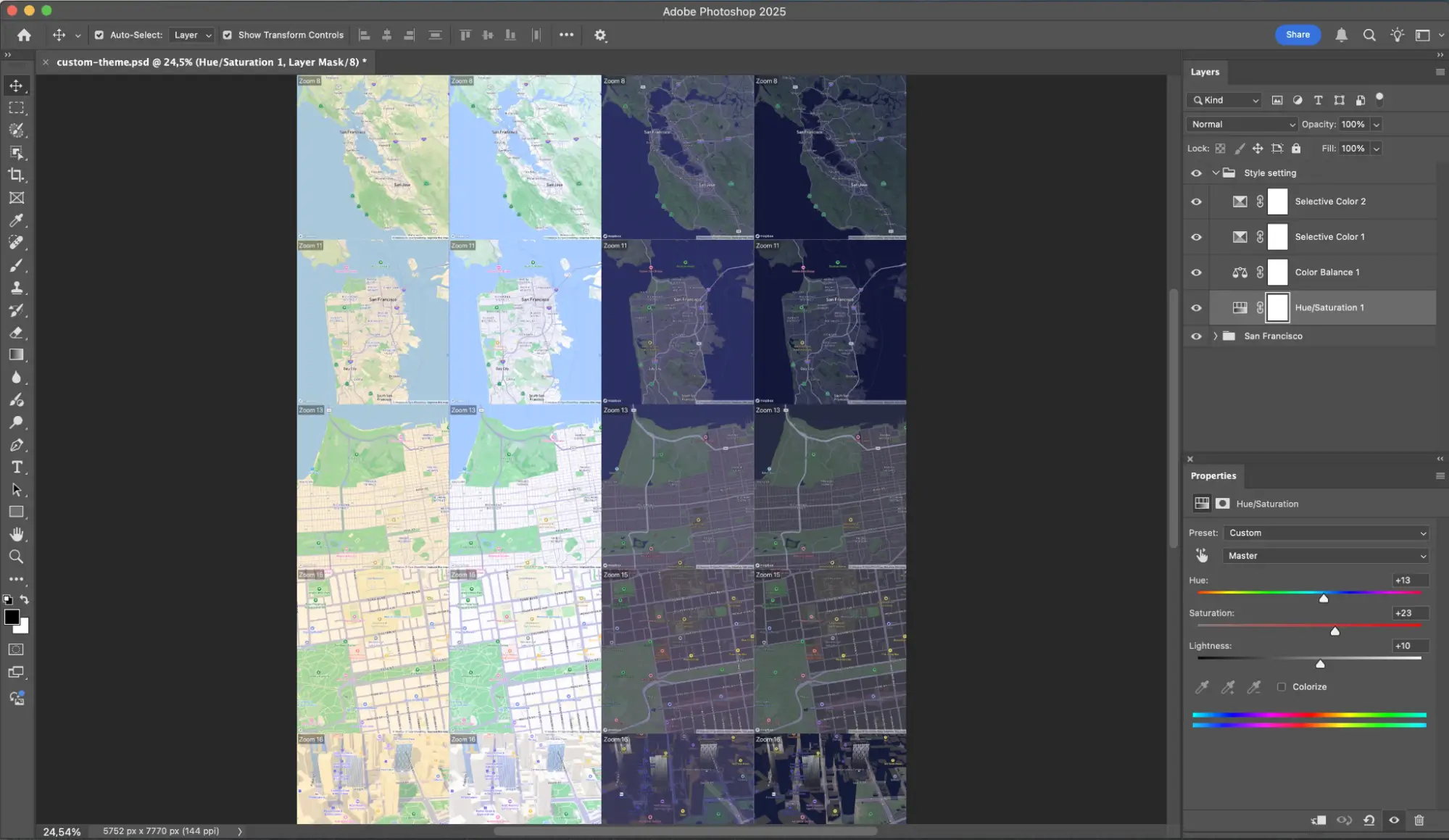
LUTs (look-up-table) can be created in standard design tools (Photoshop, Pixelmator, etc.) and applied dynamically by the Mapbox renderer, allowing a programmatic way to style map elements.
LUTs (look-up-table) can be created in standard design tools (Photoshop, Pixelmator, etc.) and applied dynamically by the Mapbox renderer, allowing a programmatic way to style map elements.
Map data updates are applied via binary patches that are typically 2-5% the size of a full download when requested with X-Accept-Delta HTTP headers. This feature reduces data consumption for navigation apps from over 1GB to ~207MB (80%) over 4 months of updates.
Map data updates are applied via binary patches that are typically 2-5% the size of a full download when requested with X-Accept-Delta HTTP headers. This feature reduces data consumption for navigation apps from over 1GB to ~207MB (80%) over 4 months of updates.
The Mapbox renderer is tested with over 30 OEM head units and restricted access hardware from multiple vendors via a fully automated CI/CD pipeline. The Mapbox device lab includes secure cloud & remote developer access with device sharing, GitHub, automated CI integration, support for long running nightly tests, and ARM virtualized head units (VHU) enabling Mapbox to build and test on the hardware being used in vehicles and quickly reproduce reported issues from the field.
The Mapbox renderer is tested with over 30 OEM head units and restricted access hardware from multiple vendors via a fully automated CI/CD pipeline. The Mapbox device lab includes secure cloud & remote developer access with device sharing, GitHub, automated CI integration, support for long running nightly tests, and ARM virtualized head units (VHU) enabling Mapbox to build and test on the hardware being used in vehicles and quickly reproduce reported issues from the field.
Dotted lines for pedestrians supports navigation and on-demand logistics multimodal routes where the final destination requires both driving and walking.
Dotted lines for pedestrians supports navigation and on-demand logistics multimodal routes where the final destination requires both driving and walking.
.png)
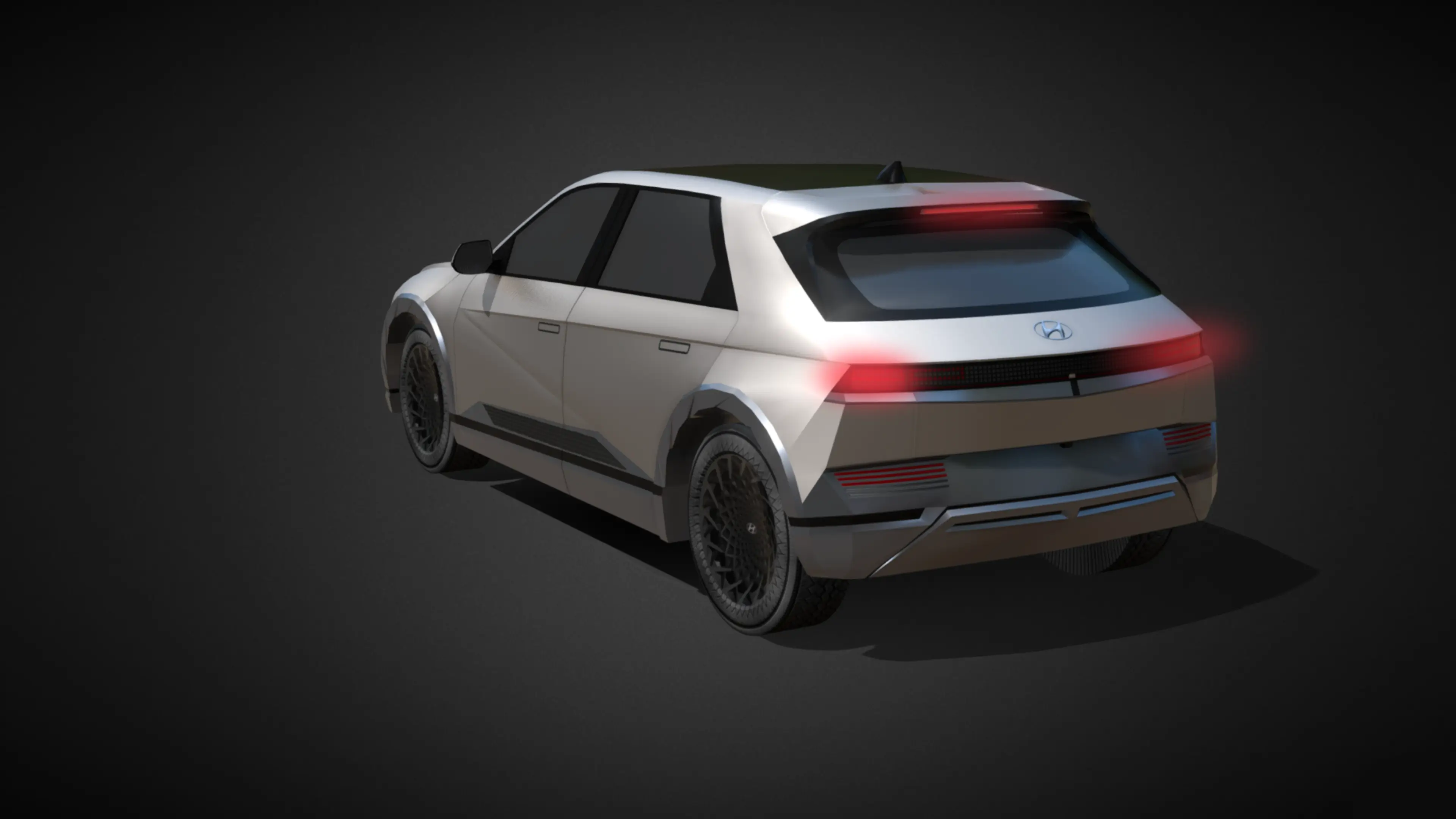
The model layer containing landmarks, trees, and cars supports dynamic lighting effects to simulate materiality, specular highlights, and reflected surfaces, allowing 3D models such as a vehicle to interact with the map and nearby buildings and vegetation in a realistic way.
The model layer containing landmarks, trees, and cars supports dynamic lighting effects to simulate materiality, specular highlights, and reflected surfaces, allowing 3D models such as a vehicle to interact with the map and nearby buildings and vegetation in a realistic way.
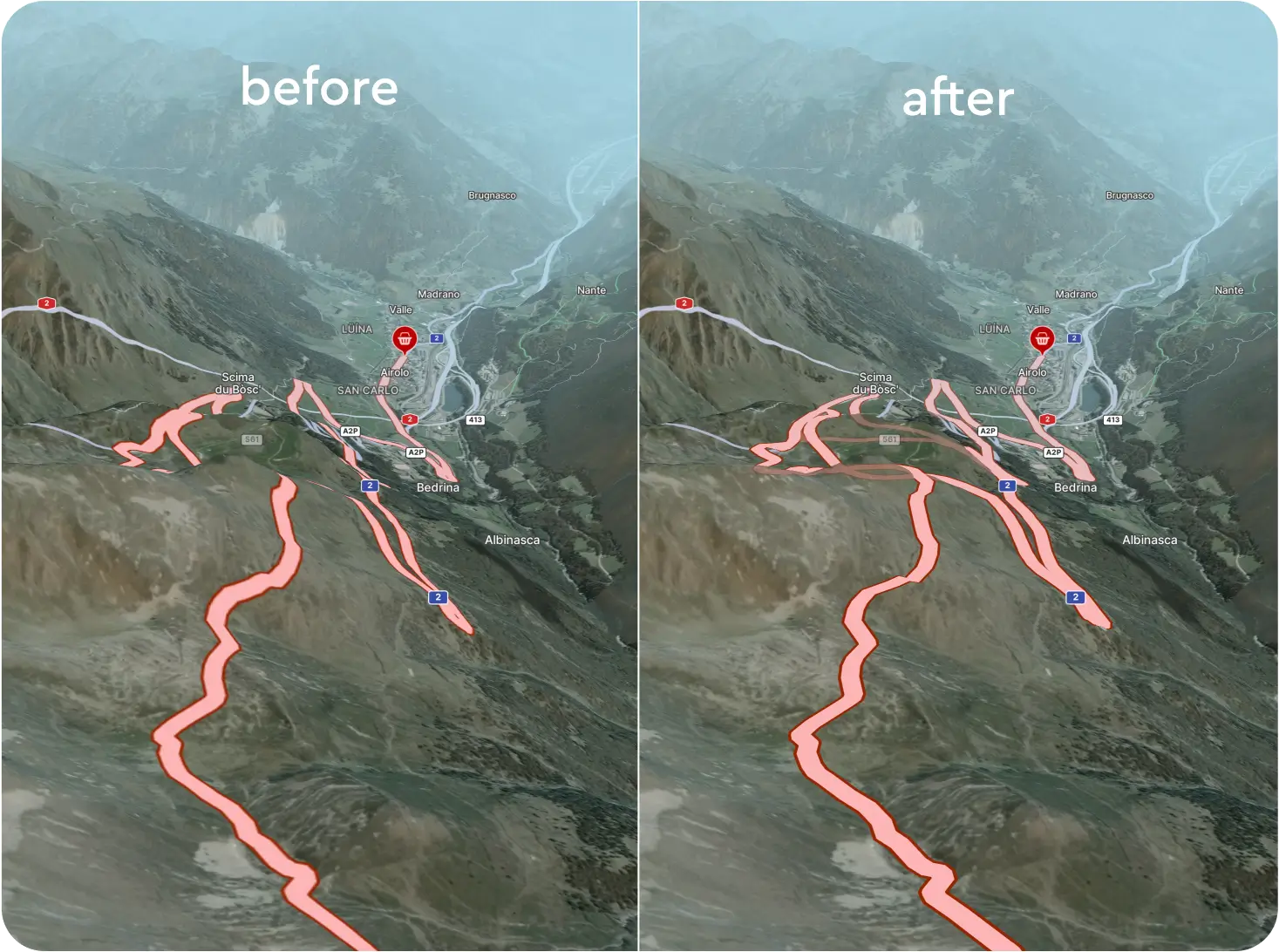
Mapbox renderer enables roads to follow the terrain slope with partial line visibility (occlusion) behind terrain enabling drivers to see the road ahead even when it is obscured by terrain, buildings or other objects.
Mapbox renderer enables roads to follow the terrain slope with partial line visibility (occlusion) behind terrain enabling drivers to see the road ahead even when it is obscured by terrain, buildings or other objects.
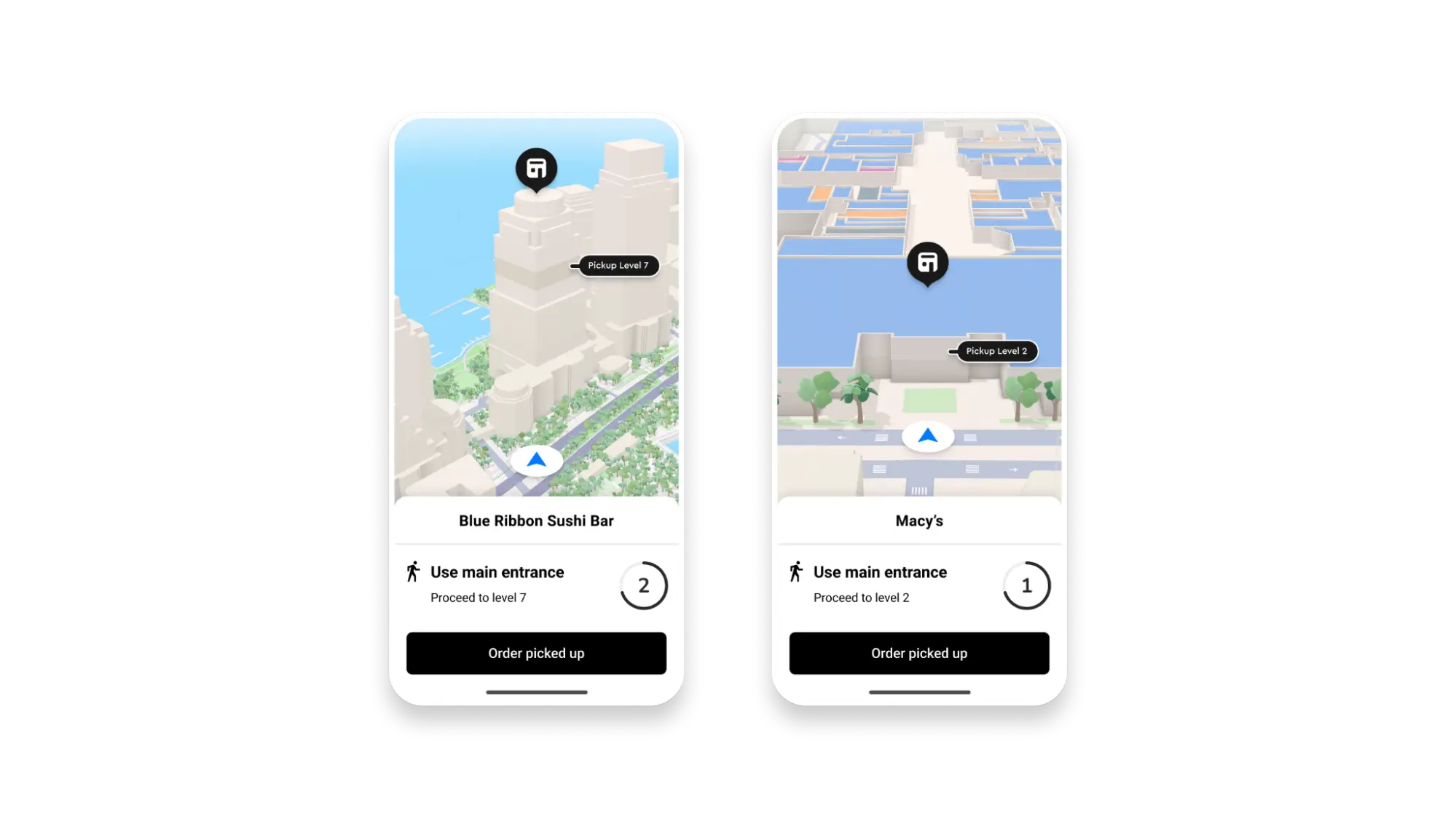
Symbols and lines can be elevated relative to particular map features. Developers can elevate POIs based on their location within multi-story buildings, or drape POIs and lines on top of terrain. They can also set a uniform desired height from the map surface (e.g. 5 meters).
Symbols and lines can be elevated relative to particular map features. Developers can elevate POIs based on their location within multi-story buildings, or drape POIs and lines on top of terrain. They can also set a uniform desired height from the map surface (e.g. 5 meters).
Mapbox’s map rendering engine is optimized for handling multiple, simultaneous map instances efficiently minimizing resource consumption. This is especially important where multiple synchronized map views such as cluster, navigation, and overview maps need to run smoothly at the same time.
Mapbox’s map rendering engine is optimized for handling multiple, simultaneous map instances efficiently minimizing resource consumption. This is especially important where multiple synchronized map views such as cluster, navigation, and overview maps need to run smoothly at the same time.

The Mapbox renderer is optimized for automotive-grade systems on chip (SOCs) and hypervisors to deliver excellent performance within modest memory constraints, and supports optimized low-level operations for compatibility with virtualization layers (e.g. QNX Realtime).
The Mapbox renderer is optimized for automotive-grade systems on chip (SOCs) and hypervisors to deliver excellent performance within modest memory constraints, and supports optimized low-level operations for compatibility with virtualization layers (e.g. QNX Realtime).
Mapbox offers high zoom 3D weather particle effects for wind and precipitation, which can overlay other map elements including dynamic 3D models representing a vehicle.
Mapbox offers high zoom 3D weather particle effects for wind and precipitation, which can overlay other map elements including dynamic 3D models representing a vehicle.
- 3D buildings at higher zoom levels
- 3D terrain at mid range zoom level, but does not appear alongside 3D buildings
- Custom designed 3D landmarks
- Symbolic realistic design for a graceful, uncluttered aesthetic perfect for showcasing location information with minimal distraction, not distracting from it
- Dynamic lighting system with 4 light presets: Dusk, Day, Dawn, Night
- Dynamic shadows
- HD roads
- Stylized landmark icons for 5 cities and more to come


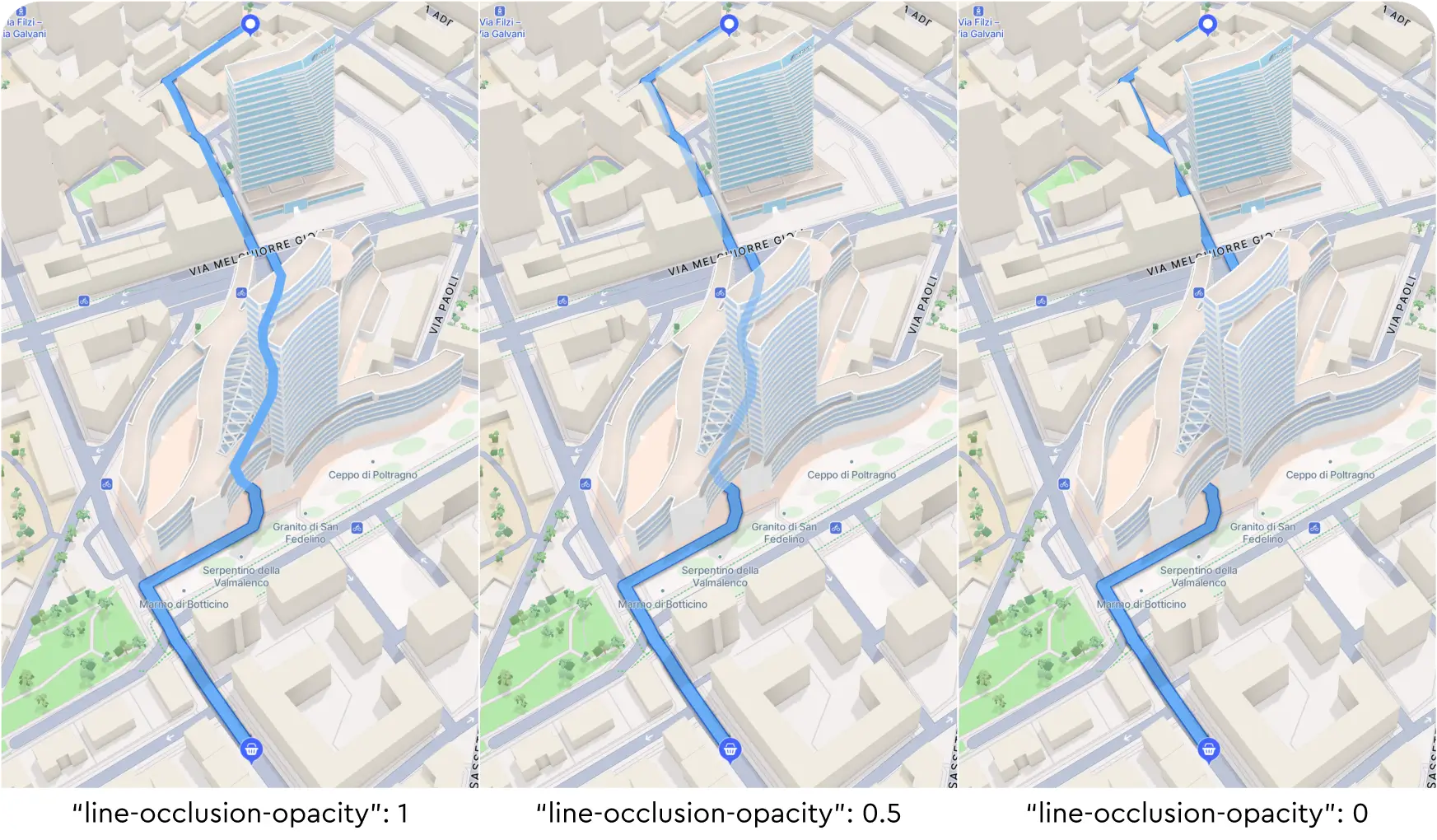
Mapbox enables symbols (e.g. road lines) to render with lower opacity when they are behind buildings, hillsides or other structures, which aids in driver comprehension of map features such as when a route travels through a tunnel.
Mapbox enables symbols (e.g. road lines) to render with lower opacity when they are behind buildings, hillsides or other structures, which aids in driver comprehension of map features such as when a route travels through a tunnel.
There are no items matching the current filters.
Section heading

Heading
Heading