CarPlay on iOS 27 lets a voice assistant run over a live map
The map is the foreground of the car, and it carries the assistant into the rest of the day. Google has Gemini positioned for it; every other assistant now needs a map.
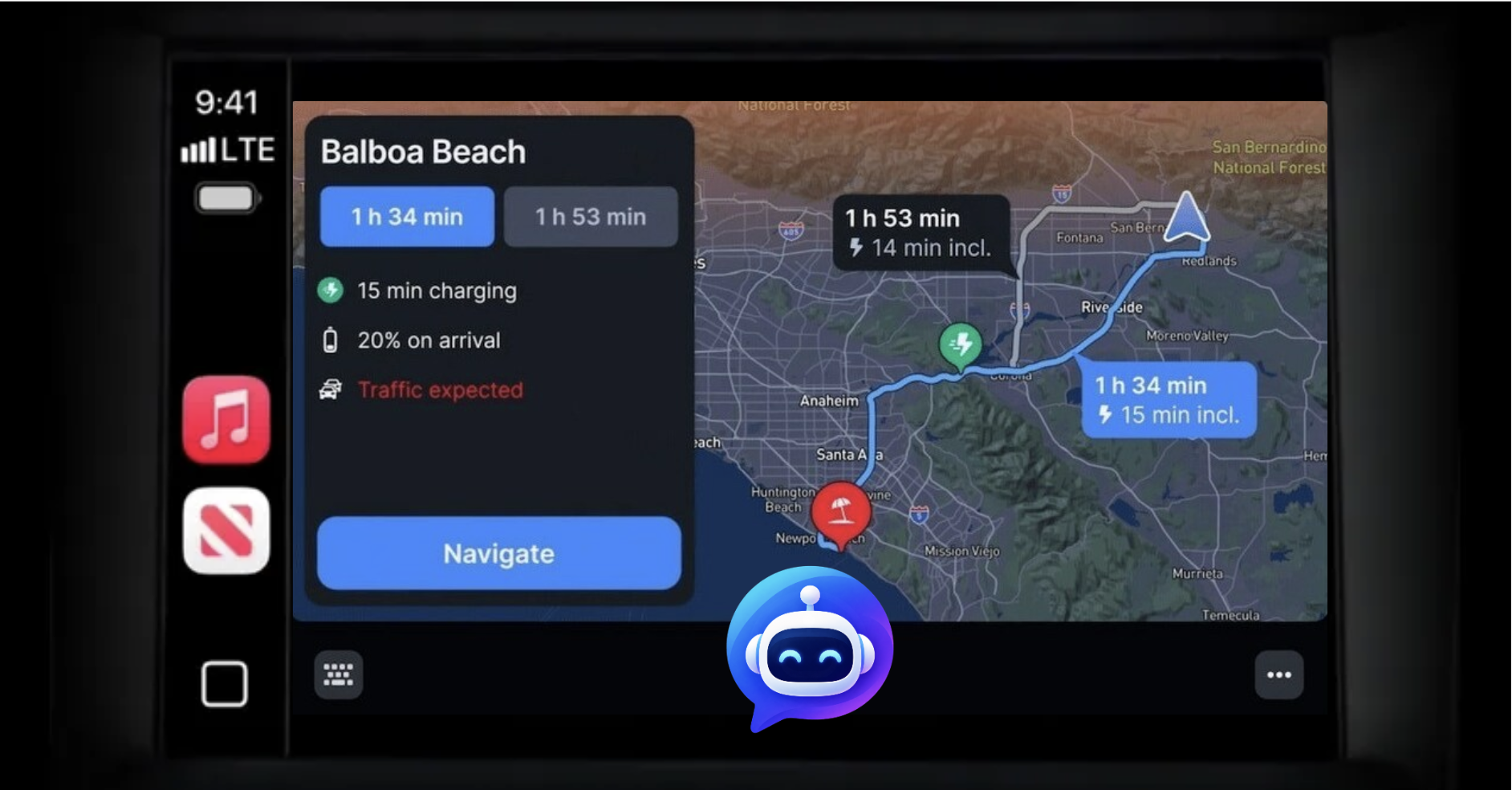
iOS 27 ships this fall, and it changes one CarPlay API that rewrites what a voice assistant can be in the car. Until now, a voice app on CarPlay was audio with a placeholder screen: an animated icon, a prompt, no map, no route, no picture of where you are. Starting in iOS 27, the Voice Control template can present as an overlay on top of another template — including the Map template in a navigation app. For the first time, a voice assistant can hold an open conversation while a live map keeps rendering underneath it. Some companies are already building for it.
Before iOS 27: the voice control template takes the whole display, and the map goes away.
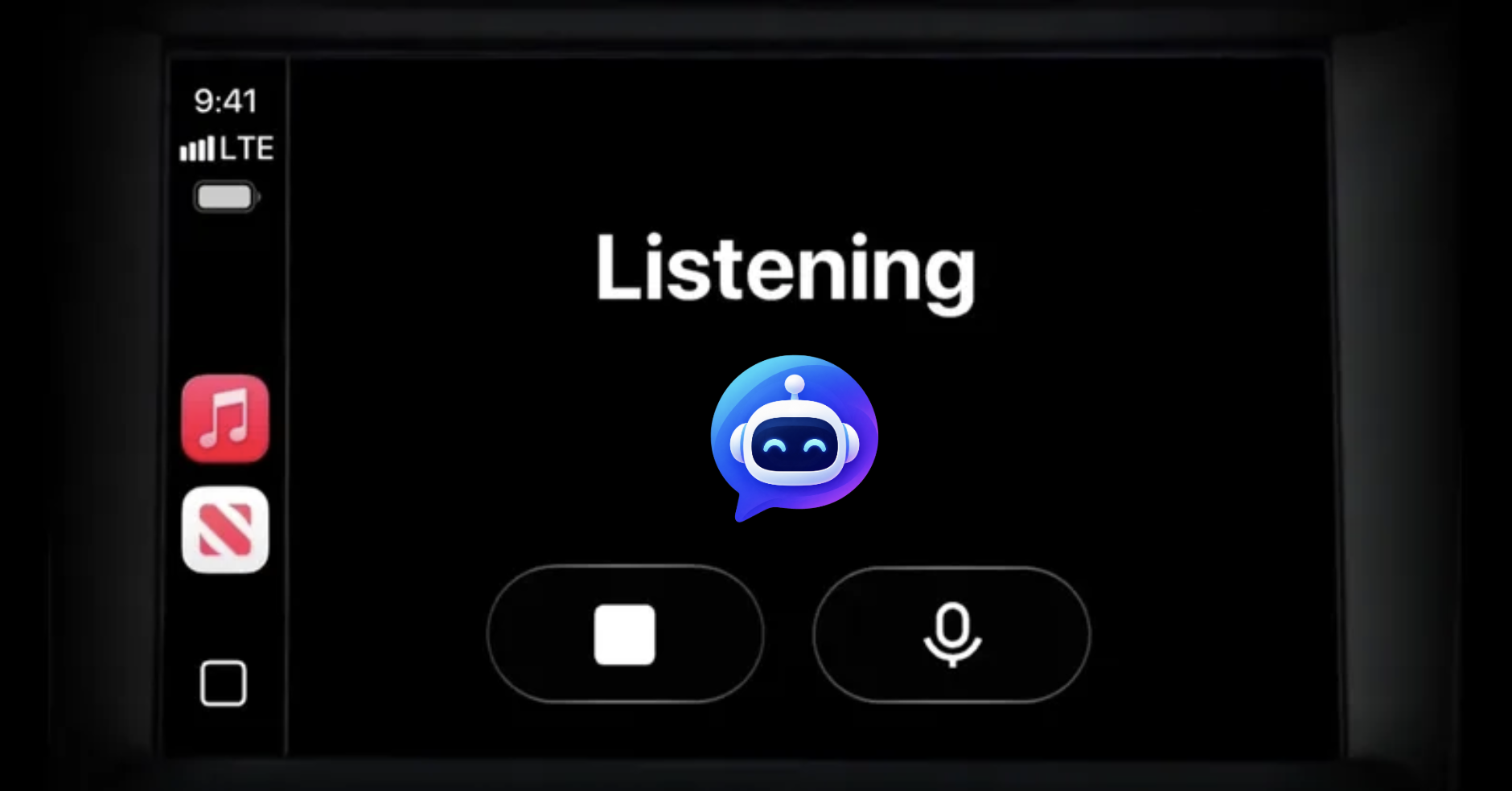
On iOS 27: the conversation runs as an overlay, and the map keeps rendering underneath.
The Voice Control template can now overlay the map
CarPlay apps don't draw their own UI. An app picks templates, supplies data, and iOS renders the screen. The one exception is the navigation category: an app with the com.apple.developer.carplay-maps entitlement gets a window to draw its map into, with CPMapTemplate as the control layer on top.
Voice input runs through CPVoiceControlTemplate, and CarPlay's recording rules make it mandatory: recording is permitted "only in conjunction with the voice control template." Before iOS 27, that template had one presentation — a full-screen modal. Listening to the driver meant taking the map off the screen. Mid-drive, that trade never made sense, so navigation apps kept voice interactions short and shallow, and voice apps did without a map entirely.
iOS 27 adds a third way to present that template through CPInterfaceController: an overlay that sits on top of whatever is already on screen. It doesn't replace the map underneath, so the map keeps rendering. Because the voice control template is up while guidance runs, the recording permission stays live too — the driver can interrupt the assistant mid-sentence while turn-by-turn continues underneath. Apple also opened the Voice Control template to every CarPlay app category in iOS 27, and since iOS 26.4 it can show up to two action buttons for the times when a tap is easier than talking.
Why the map is the best visual canvas for voice assistants
The two most popular apps used in the car are music and navigation. They fall on the car's two channels: music is audio, where it competes with an assistant's voice; the map is visual, where nothing competes with it. That makes the map the surface a voice assistant can add to hold the foreground.
A voice assistant needs that visual surface because speech is serial. Reading out five coffee shops takes five sentences; a map shows twenty at a glance. And most of what drivers ask for by voice is about the map: what's nearby, how far to the destination, whether to reroute. A voice assistant that can't see the navigation state or change it is missing the context for most of those questions.
The map is also the only surface with room to answer. Every other visual surface CarPlay offers is capped — 12-item lists, 8 grid buttons, a keyboard many cars disable while driving. The navigation app's map is the only uncapped, app-drawn surface in the car.
Voice is what drivers listen to; the map is what they stare at.
And they do stare at it. Apple says CarPlay is used over 600 million times per day. Edison Research found that 83% of Americans who have CarPlay or Android Auto in their car actually use it — near-universal engagement, rare for any in-car technology. AAA's driving survey puts the average American driver behind the wheel for about an hour a day, a figure that has held steady for three straight surveys. The map fills that hour as an ambient heads-up display even when nobody is navigating anywhere new: position, traffic, ETA, what's around.
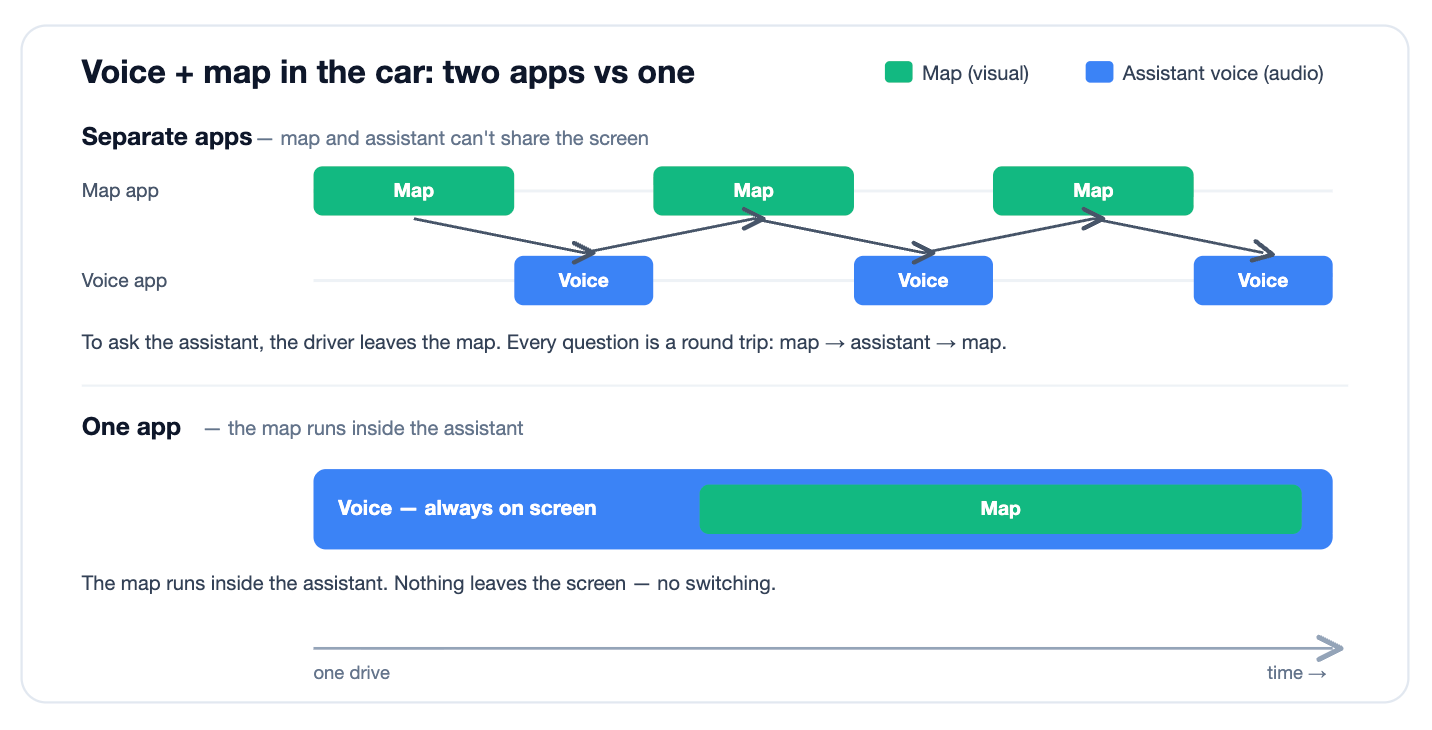
That ambient role is the strategic point. In the car, whatever app is in the foreground is the one getting used. CarPlay shows one app's scene at a time, there is no API to pin yourself to the foreground, and when a voice-only conversation ends, nothing keeps the driver in the app. A navigation session is different: the task spans the whole trip, so the app that draws the map holds the screen for the drive. A voice assistant on top of that map stays available for the whole hour. A voice-only assistant answers the question, and then the driver is back to the map app.
Two apps make every question a detour off the map. One app keeps the map up and lets the assistant speak over it.
Google is building for this
Gemini has already replaced Google Assistant as the voice layer inside Google Maps navigation. In May, MacRumors found strings in the Google Maps iOS app for Gemini on CarPlay — a prompt to tell Gemini to navigate somewhere, gated behind new terms of service — built but not yet shipped. The strings show Google developing a Gemini layer for its CarPlay map, though they don't establish the final implementation. Google has Gemini on top of one of the most-used maps in the world, and iOS 27 supplies the API that could pair them over a live map.
Holding the foreground during the drive would give Google four advantages:
Attention. A persistent visual layer keeps the assistant available for the whole trip. An assistant already on screen is easier to ask than one the driver has to open first.
Memory. Every in-car conversation tells the assistant more about the user — where they go, what they ask on the way, what they stop for. That context improves later answers, and commutes happen daily, so it accumulates.
Monetization. An assistant that knows where a driver is, where they're headed, and where they tend to stop has strong signals for local advertising: a person already in motion toward a purchase. Morgan Stanley forecast in 2019 that Google Maps could reach $11B+ in ad revenue by 2023 and called it one of the most under-monetized assets it covers. Voice in the foreground adds stated intent to those signals.
Productivity. Google's ecosystem can turn the commute into a work surface. Triage Gmail by voice on the drive in, brainstorm a presentation and have the assistant draft the outline, talk through a doc, rehearse for the meeting you're driving to, catch up on chat. The hour a day Americans spend driving can become time for real work, in the assistant that holds the car.
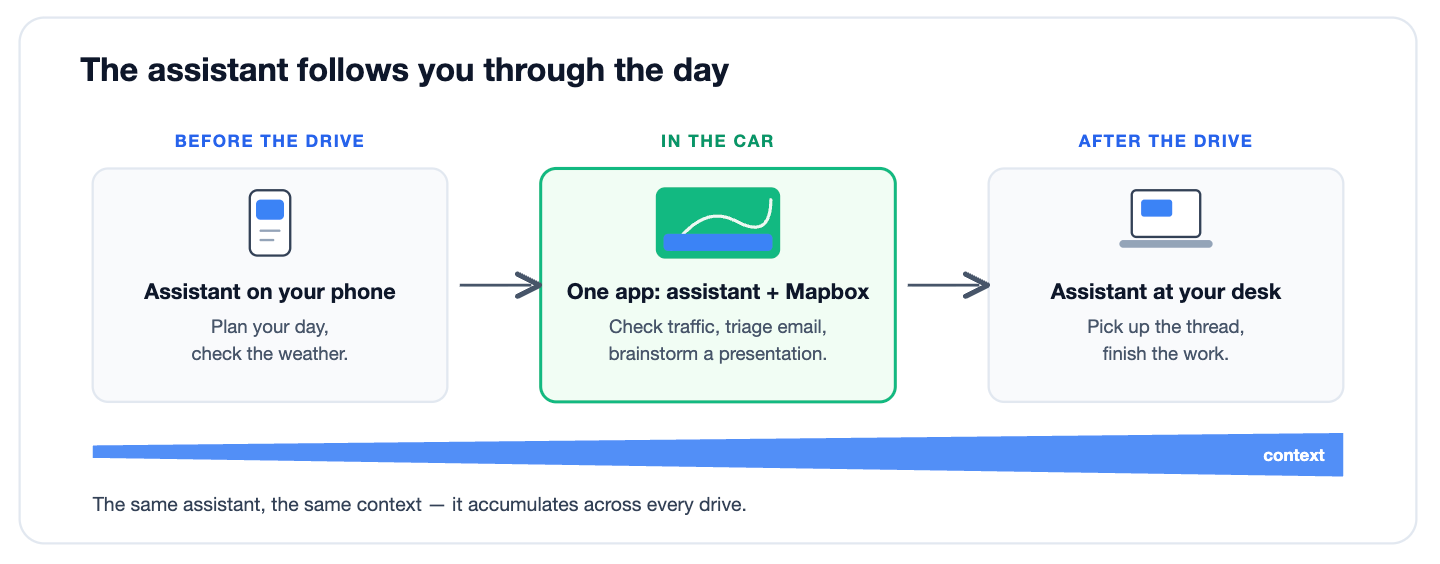
These advantages extend past the drive, because a conversation started in the car can continue outside it. Work through your inbox on the commute and you can finish the thread at your desk, in the same assistant, where the context already lives. Moving to a different assistant means supplying that context again. So the assistant that holds the driving hour begins later interactions with what it gathered on the drive, and one that doesn't starts without it. The car is a block of daily, recurring attention, and the assistant present for it starts the rest of the day with more context than one that isn't.
None of this requires Google to build something new. It needs a strong map, a voice assistant users already know, and Apple's platform change. Google has all three.
Mapbox supplies the navigation stack other assistants lack
Every assistant that isn't Gemini faces the same gap: a voice product with no visual layer in the car. The assistants already live on CarPlay — ChatGPT, Perplexity, Grok — shipped under CarPlay's conversational category, which gets no map template and no route. iOS 27 clears the platform limitation. What's left is the map, which is what Mapbox provides.
The Mapbox Navigation SDK gives an app the full navigation stack — the rendered map, route calculation on live traffic, rerouting, and voice guidance — which is exactly what qualifies an app for the carplay-maps entitlement and the drawing surface that comes with it. On top of that canvas, the same voice channel that answers questions can control the map: the driver speaks, and the assistant changes the route or draws results on the map mid-drive.
Keeping the conversation and the guidance in one process also handles audio cleanly. The app holds a single AVAudioSession and reconfigures it as the drive alternates between conversation and maneuver prompts — no cross-process arbitration, no maneuver prompt fighting a separate assistant app for the speaker.
The result is the same architecture Google is building for Gemini: a voice assistant in the foreground, drawing on a live map, controlling it by conversation, present for the drive. Google assembles it from parts it already owns. Mapbox supplies those parts to everyone else.
Add a map to your voice assistant
iOS 27 arrives this fall — Apple's release pattern points to mid-September. The overlay API is in beta today, so the work to pair a voice assistant with a map can start now and ship when the platform does. An assistant that holds the car's screen during navigation keeps the context and stated intent from the drive.
If you're building a voice assistant and want it on the car's screen, start with the Navigation SDK docs or talk to us.
Sources: Apple, iOS 26 announcement (CarPlay usage, June 2025); Edison Research, The Infinite Dial 2025; autoevolution and the Liberty Mutual teen driving study (music and navigation as the two main in-car phone uses, each ~half of drivers); AAA Foundation for Traffic Safety, American Driving Survey 2024; MacRumors, May 11, 2026 (Gemini in Google Maps on CarPlay); TechCrunch, November 5, 2025 (Gemini replacing Assistant in Maps); Morgan Stanley (Brian Nowak) 2019 forecast for 2023, reported by Skift; Apple, WWDC26 session 212, "Rev up your CarPlay app," and the CarPlay framework documentation.


Related articles
Snap builds with Mapbox to deliver wearable AR navigation
Using isochrones to understand reachability in web and mobile applications